AI for Project Management: Use Cases, Tools, and Implementation

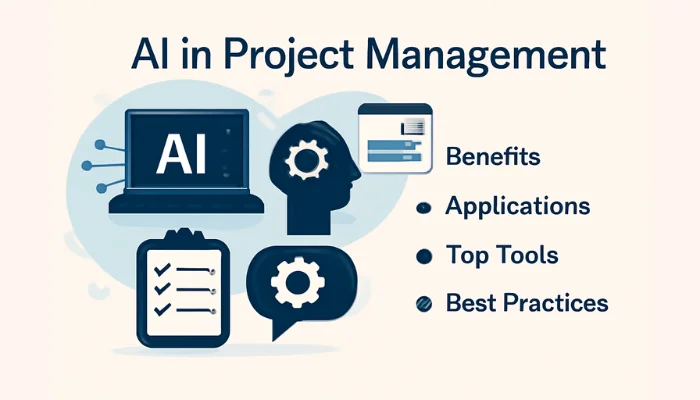
- What Is AI for Project Management?
- How Is AI Used in Project Management?
- What Are the Benefits of AI in Project Management?
- What Are the Best AI Tools for Project Management?
- How to Use AI for Project Management Step by Step
- What Are the Best AI Prompts for Project Managers?
- How Can AI Improve Project Scheduling, Risk Management, and Resource Allocation?
- What Are the Risks and Limitations of AI in Project Management?
- How Can You Implement AI in Project Management at Your Organization?
- How Do You Measure the ROI of AI for Project Management?
Artificial intelligence (AI) is changing how businesses plan, manage, and deliver projects. AI for project management uses technologies such as machine learning, generative AI, and predictive analytics to support task planning, scheduling, resource allocation, risk analysis, and progress reporting. These capabilities can help teams reduce repetitive administrative work, identify potential issues, and make more informed decisions.
From small businesses and Digital Marketing agencies to IT teams and large organizations, AI-powered tools can simplify project workflows and improve collaboration. However, results depend on data quality, the tools selected, and how effectively teams integrate AI into their existing processes.
This guide explores practical AI applications, leading project management tools, useful prompts, implementation steps, and potential benefits. You will also learn about common limitations, data security concerns, and ways to measure return on investment. While AI can support project managers, human judgment remains essential for validating outputs, managing stakeholders, and making critical project decisions.
What Is AI for Project Management?
AI for project management is the use of artificial intelligence to assist with planning, scheduling, task management, risk assessment, reporting, and project-related decisions. It helps teams analyze information, automate repetitive work, and identify potential issues throughout a project's lifecycle.
How AI Works in Project Management
AI-powered project management tools use different technologies to support specific tasks:
-
Generative AI: Creates project plans, meeting summaries, task descriptions, and status reports from provided information.
-
Machine learning: Identifies patterns in historical project data to support forecasting and recommendations.
-
Predictive analytics: Analyzes schedules, workloads, and project trends to estimate potential delays or risks.
-
Workflow automation: Connects tasks and systems to reduce repetitive administrative work.
AI outputs depend on available data, system capabilities, and the quality of user instructions. Project managers should validate important recommendations before acting on them.
AI vs. Traditional Project Management Automation
| Feature | AI-Powered Management | Traditional Automation |
|---|---|---|
| How it works | Analyzes patterns or generates content | Follows predefined rules |
| Typical tasks | Drafting plans, forecasting risks | Sending reminders, updating statuses |
| Adaptability | Can interpret varied inputs, with limitations | Usually follows configured conditions |
| Human oversight | Needed to validate recommendations | Needed to manage rules and exceptions |
Both approaches can work together. Traditional automation handles predictable tasks, while AI supports activities involving analysis, language, or recommendations. The right combination depends on project complexity, available data, and business requirements.
How Is AI Used in Project Management?
AI supports different stages of the project lifecycle, from initial planning to progress tracking and final reporting. It helps project managers organize information, identify potential problems, and reduce repetitive administrative tasks. However, teams must review AI-generated recommendations before using them to make important project decisions.
Project Planning and Task Breakdown
AI can turn a project brief into a draft project charter, task list, or work breakdown structure. It can suggest milestones, deliverables, dependencies, and deadlines based on the information provided. Project managers must verify task completeness, priorities, and realistic timelines.
Scheduling and Resource Allocation
AI-powered tools can analyze workloads, resource capacity, deadlines, and task dependencies to suggest schedules or identify possible conflicts. Managers should confirm team availability, skill requirements, and delivery commitments before approving changes.
Meeting Summaries and Status Reports
AI can summarize meeting transcripts, extract action items, identify assigned responsibilities, and draft weekly status reports. Teams should verify names, deadlines, decisions, and outstanding tasks to prevent inaccurate reporting.
Risk Identification and Progress Monitoring
AI can analyze project updates and historical data to flag potential delays, budget deviations, and resource bottlenecks. These findings are indicators for investigation, not guaranteed predictions.
Stakeholder Communication and Documentation
AI can draft stakeholder updates, project documentation, meeting agendas, and change summaries. Project managers should check the tone, accuracy, confidentiality, and suitability of each message before sharing it.
AI Use Cases Across the Project Lifecycle
| Project Task | AI Capability | Expected Output | Human Review |
|---|---|---|---|
| Project planning | Converts requirements into structured tasks | Draft project plan and milestones | Scope, priorities, deadlines |
| Scheduling | Analyzes dependencies and workloads | Suggested schedule and resource allocation | Availability and feasibility |
| Reporting | Summarizes project updates | Status reports and action lists | Accuracy and ownership |
| Risk monitoring | Flags unusual patterns and potential blockers | Risk alerts and suggested responses | Risk severity and mitigation |
| Communication | Drafts audience-specific updates | Emails, summaries, and documentation | Tone, permissions, and facts |
Used appropriately, AI can improve project visibility and coordination while allowing project managers to focus on judgment, collaboration, and delivery.
What Are the Benefits of AI in Project Management?
AI can help project teams organize information, reduce manual work, identify potential risks, and make better-informed decisions. The actual benefits depend on data quality, tool capabilities, team adoption, and how effectively AI fits into existing workflows.
Reduce Repetitive Administrative Work
AI can draft meeting summaries, create task descriptions, organize project notes, and prepare routine status reports. This reduces repetitive work and gives project managers more time for planning, problem-solving, and stakeholder communication.
Improve Visibility Into Project Risks
AI tools can analyze project updates, deadlines, dependencies, and historical data to flag potential delays or resource conflicts. Early alerts help managers investigate issues and consider corrective actions before problems escalate.
Support Faster, Data-Informed Decisions
AI can summarize project information, compare scenarios, and identify trends across workloads or delivery timelines. These insights support decision-making, although managers must verify the underlying data and assess recommendations against real-world constraints.
Improve Team Coordination and Reporting
AI can convert meeting discussions into action items, summarize progress, and prepare updates for different stakeholders. Clearer documentation can improve coordination, particularly across distributed teams.
AI Benefits and How to Measure Them
| Potential Benefit | Example Use Case | Suggested Performance Metric |
|---|---|---|
| Greater efficiency | Automated meeting summaries | Time spent preparing meeting notes |
| Better risk visibility | Deadline and dependency alerts | Number of risks identified before escalation |
| Faster decisions | Project data summaries | Time required to prepare decisions |
| Improved coordination | Automated action-item tracking | Percentage of actions completed on time |
| Clearer reporting | Draft status reports | Reporting time and correction rate |
These metrics help teams evaluate whether AI is delivering practical value. Establish a baseline before implementation and compare results over time. AI can support project performance, but it does not guarantee lower costs, faster delivery, or better outcomes without appropriate oversight and process improvements.
What Are the Best AI Tools for Project Management?
The best AI project management tool depends on your team's workflow, project complexity, collaboration needs, and budget. Some platforms focus on task management and automated reporting, while others support resource planning, software development, or AI-assisted scheduling. Compare tools based on practical capabilities rather than popularity alone.
AI Features in Project Management Platforms
Platforms such as Asana, ClickUp, monday.com, Wrike, and Smartsheet combine project tracking with AI-assisted summaries, task workflows, reporting, or analysis. For example, Asana offers AI-supported work summaries and workflow automation, while Smartsheet provides AI features for project insights and reporting.
AI Assistants for Planning and Documentation
Notion AI and general-purpose AI assistants can help draft project briefs, organize documentation, summarize discussions, and prepare action items. Motion focuses on calendar-based task scheduling. These tools are useful when planning and documentation take up significant time, but outputs still require review.
AI Tools for Software and Agile Teams
Jira is worth evaluating for software teams that need issue tracking, sprint planning, and development workflows. ClickUp and monday.com may also suit cross-functional teams managing tasks, milestones, and delivery schedules. Confirm that the specific AI features you need are included in your chosen plan.
AI Project Management Tools Comparison
| Tool | AI Capabilities | Best-Fit Use Case | Integrations to Evaluate | Pricing Availability |
|---|---|---|---|---|
| Asana | Work summaries, AI-assisted workflows, status insights | Cross-functional project and portfolio management | Slack, Google Drive, reporting tools | Public pricing; AI features vary by plan |
| ClickUp | AI-assisted writing, summaries, and project questions | Teams wanting tasks, documents, and goals in one workspace | Communication, storage, and developer tools | Public plans; AI access may cost extra |
| monday.com | AI assistance, task summaries, workflow support | Visual team workflows and project tracking | GitHub, collaboration and business apps | Public plans; verify AI credits and limits |
| Wrike | AI content assistance, summaries, workflow automation | Teams managing complex projects and approvals | File storage, communication, business systems | Public plans; AI features vary by tier |
| Smartsheet | AI insights, summaries, data analysis | Spreadsheet-style project tracking and reporting | Business applications and AI assistants | Public plans; confirm feature availability |
| Jira | AI-assisted development and work management features | Software teams using Agile workflows | Developer tools, code repositories, collaboration apps | Public pricing; check plan-specific AI access |
| Notion | AI-assisted documentation, search, and summarization | Project notes, knowledge bases, and lightweight planning | Calendar, communication, and productivity apps | Public plans; verify AI entitlements |
| Motion | AI-assisted calendar scheduling and task prioritization | Individuals and teams coordinating busy schedules | Calendar and task-management tools | Public pricing; check current plan limits |
How to Use AI for Project Management Step by Step
Using AI for project management works best when you provide clear project information, define the expected output, and review recommendations before adding them to your workflow. Follow these five steps to introduce AI into an existing project without losing control of important decisions.
1. Define the Project Goal and Scope
Start with a project brief describing objectives, deliverables, target dates, budget constraints, stakeholders, and success criteria. Ask AI to identify missing information and clarify assumptions before generating a plan.
2. Turn Requirements Into Tasks and Milestones
Provide the approved project brief and ask AI to create a work breakdown structure. Request tasks, descriptions, suggested owners, dependencies, milestones, and deadlines. Treat assignments and dates as proposals until the responsible team members confirm them.
3. Review Resources, Dependencies, and Risks
Ask AI to identify tasks that depend on other deliverables, potential scheduling conflicts, resource gaps, and possible risks. Compare its suggestions with actual team availability, project constraints, and historical data.
4. Generate Progress Updates
Use verified task statuses, completed milestones, blockers, and upcoming deadlines to draft weekly reports. Ask AI to summarize progress, highlight deviations, and prepare stakeholder-specific updates. Confirm every important fact before sharing the report.
5. Validate Results and Improve the Workflow
Compare AI-generated outputs against approved requirements. Correct inaccurate assumptions, document decisions, and track metrics such as reporting time, task completion, and error rates. Refine prompts and workflows based on observed results.
What Are the Best AI Prompts for Project Managers?
Well-written AI prompts help project managers turn project information into structured plans, risk assessments, meeting summaries, and stakeholder reports. For better results, include the project context, constraints, required output, and any assumptions the AI should identify.
Prompt for a Project Plan
Use this prompt to turn project requirements into an actionable draft.
Copy-ready prompt:
Act as an experienced project manager. Create a project plan for [project name] with the goal of [objective]. The deadline is [date], and the available budget is [budget]. Include deliverables, tasks, milestones, dependencies, suggested owners by role, and success criteria. List missing information and assumptions separately.
Prompt for Risk and Dependency Analysis
Use this prompt to identify potential blockers before they affect delivery.
Copy-ready prompt:
Analyze this project plan: [paste plan]. Identify potential risks, task dependencies, resource conflicts, and schedule bottlenecks. Create a risk register with likelihood, impact, warning signs, proposed mitigation, and responsible role. Clearly distinguish known facts from assumptions.
Prompt for Meeting Notes and Action Items
Use this prompt after a project meeting to organize decisions and follow-ups.
Copy-ready prompt:
Summarize these meeting notes: [paste notes]. Extract key decisions, action items, responsible people, deadlines, unresolved questions, and blockers. Use a table. Mark any missing owners or deadlines as “Not specified” rather than inventing details.
Prompt for a Weekly Status Report
Use this prompt to prepare a consistent update for stakeholders.
Copy-ready prompt:
Create a weekly project status report using this data: [paste verified updates]. Include completed work, upcoming milestones, overdue tasks, risks, blockers, and decisions needed. Separate confirmed information from estimates and flag missing data. Keep the report concise and suitable for [audience].
How to Improve AI Prompt Results
Use specific inputs, consistent formats, and realistic constraints. Review generated outputs for accuracy, and never share confidential project information with an AI service unless its data-handling policies permit your intended use. Treat every prompt as a starting point, not a substitute for project management judgment.
How Can AI Improve Project Scheduling, Risk Management, and Resource Allocation?
AI can help project managers analyze schedules, identify potential bottlenecks, and evaluate resource demands before problems disrupt delivery. Using predictive analytics and historical project data, AI tools can highlight patterns that may require attention. However, forecasts depend on data quality and should support—not replace—human judgment.
Identify Schedule Risks and Dependencies
AI can analyze task dependencies, deadlines, milestones, and schedule variance to flag possible delays. It may help identify activities affecting the critical path and suggest adjustments. Project managers must verify dependencies and confirm whether proposed deadlines are realistic.
Detect Resource Conflicts
AI can compare assigned tasks with resource capacity, availability, and workload data. It may identify overloaded team members, skill gaps, or competing priorities. Managers should validate these findings against actual availability, required expertise, and existing commitments.
Explore Alternative Project Scenarios
Teams can use AI to compare scenarios, such as adding resources, changing task priorities, or adjusting deadlines. These comparisons help project managers understand possible trade-offs before approving changes. Results remain estimates, not guarantees of future performance.
AI Analysis and Human Decision-Making
| Problem | AI Analysis | Human Decision |
|---|---|---|
| Possible schedule delays | Reviews dependencies, milestones, and schedule variance | Confirm the critical path and revise deadlines |
| Resource conflicts | Compares workloads and resource capacity | Reassign tasks based on skills and availability |
| Emerging project risks | Identifies patterns and suggests risk-register updates | Assess likelihood, impact, and mitigation |
| Missed delivery targets | Compares alternative schedules and resource scenarios | Approve a feasible recovery plan |
For reliable results, maintain accurate task statuses, realistic estimates, current resource data, and documented dependencies. Review AI recommendations regularly and update the underlying project information as conditions change. AI is most useful as an early-warning and decision-support tool, not as a source of certain predictions.
What Are the Risks and Limitations of AI in Project Management?
Although AI can streamline project workflows, it also introduces risks that teams must manage carefully. AI-generated plans, forecasts, and reports may contain errors, overlook important context, or expose sensitive information if used improperly. Understanding these limitations helps organizations adopt AI responsibly while maintaining project quality and accountability.
Inaccurate Outputs and Missing Context
AI may generate incorrect deadlines, misunderstand requirements, or overlook dependencies when project data is incomplete. These errors can affect planning and decision-making. Verify important outputs against approved project documents, actual progress, and team feedback.
Confidentiality and Data Security
Uploading budgets, client details, contracts, or internal project documents to an AI service may create privacy and security concerns. Review the provider's data-handling policies, configure access controls, and use approved tools. Avoid entering sensitive information unless its use is authorized.
Bias, Accountability, and Human Oversight
AI recommendations may reflect biased or incomplete historical data. For example, resource suggestions may unfairly prioritize certain employees or underestimate unfamiliar tasks. Keep humans responsible for important decisions, review recommendations for fairness, and document approval processes.
Integration and Adoption Challenges
AI tools may not connect smoothly with existing project management systems, creating duplicated work or inconsistent records. Teams may also resist unfamiliar workflows. Test integrations, train employees, define responsibilities, and introduce changes gradually.
Common AI Risks and Mitigation Strategies
|
Risk |
Potential Consequence |
Recommended Mitigation |
|---|---|---|
|
Inaccurate outputs |
Incorrect plans, reports, or forecasts |
Verify outputs against trusted project data |
|
Data exposure |
Unauthorized access to confidential information |
Apply data governance, permissions, and approved-tool policies |
|
Biased recommendations |
Unfair resource allocation or decisions |
Review recommendations and document human approvals |
|
Integration problems |
Duplicated tasks and inconsistent records |
Test integrations before organization-wide deployment |
|
Low team adoption |
Limited use and inconsistent workflows |
Provide training and gather employee feedback |
Project management teams should establish clear rules for AI usage, data access, output validation, and accountability. Human review is particularly important for decisions involving budgets, deadlines, staffing, contracts, and sensitive stakeholder information.
Before adopting a tool, consult its official security documentation and applicable organizational policies. Professional guidance from the Project Management Institute can also help teams understand responsible AI adoption in project environments.
The goal is not to eliminate human involvement, but to use AI where it adds value while keeping critical decisions transparent, secure, and accountable.
Related More >> How to Scale Your Marketing With AI
How Can You Implement AI in Project Management at Your Organization?
Implementing AI in project management requires more than choosing a tool. Organizations need a clear use case, reliable project data, appropriate security controls, and a way to measure results. A phased approach helps teams test AI's value before expanding its use across the business.
1. Start With a Low-Risk Pilot
Choose a repetitive, low-risk activity, such as meeting summaries, task descriptions, or weekly status reports. Define the problem, expected outcome, project owner, and trial period. Establish baseline measurements so you can compare results after implementation.
2. Select the Right Data and Integrations
Identify the project information the AI tool needs, including task statuses, deadlines, milestones, and approved documentation. Check compatibility with your existing project management platform, calendars, and communication tools. Test integrations to prevent duplicated records or inaccurate updates.
3. Establish Review and Access Rules
Create clear policies covering approved AI tools, confidential information, user permissions, output validation, and human approvals. Decide which tasks AI can assist with and which decisions require authorized personnel. Review the provider's security and data-handling documentation before sharing business information.
4. Train the Team and Measure Results
Train employees to write effective prompts, verify outputs, identify errors, and report problems. Gather feedback throughout the pilot and track practical performance indicators.
AI Implementation Checklist
| Stage | Key Action | Success Indicator |
|---|---|---|
| Pilot | Test one defined workflow | Useful outputs with manageable errors |
| Data and integrations | Connect approved information sources | Accurate, consistent project records |
| Governance | Define access and approval rules | Documented controls and responsibilities |
| Training and measurement | Train users and compare baseline results | Adoption, time saved, and output quality |
Once the pilot demonstrates measurable value, address identified weaknesses and expand gradually. Calculate return on investment by comparing time saved and other measurable benefits against software, training, integration, and maintenance costs. Successful implementation depends on continuous evaluation, clear accountability, and workflows that support—not replace—project managers.
How Do You Measure the ROI of AI for Project Management?
Measuring the return on investment (ROI) of AI for project management helps organizations determine whether their tools deliver measurable business value. Instead of relying on vendor claims, compare performance before and after implementation using consistent metrics, realistic timeframes, and actual costs.
Track Time Saved and Rework
Measure how long teams spend preparing reports, summarizing meetings, and creating project plans before and after introducing AI. Track corrections and rework to ensure faster output does not compromise quality.
Measure Reporting Accuracy and Forecast Quality
Monitor errors in AI-generated reports, missed deadlines, forecast accuracy, and the usefulness of risk alerts. Compare results with historical project data while accounting for differences in project complexity.
Compare Total Tool and Implementation Costs
Include subscriptions, AI credits, integrations, training, maintenance, and employee review time. Evaluate whether the benefits justify the total cost of ownership.
AI Project Management ROI Metrics
| KPI | Measurement Method | Interpretation |
|---|---|---|
| Time saved | Compare task completion time before and after AI | Indicates potential efficiency gains |
| Error rate | Track corrections per report or deliverable | Shows whether output quality improves |
| Forecast accuracy | Compare estimated and actual delivery dates | Evaluates planning reliability |
| Team adoption | Measure active users and workflow usage | Indicates practical acceptance |
| Total cost | Add subscription, implementation, and operating expenses | Shows the investment required |
Calculate ROI as:
ROI (%) = [(Financial benefits − Total costs) ÷ Total costs] × 100
Use financial benefits that can be reasonably quantified, avoid counting the same savings twice, and assess results over a representative period. Positive ROI should reflect measurable improvements, not simply the number of tasks automated.