
Website vs Web Application: Key Differences Explained

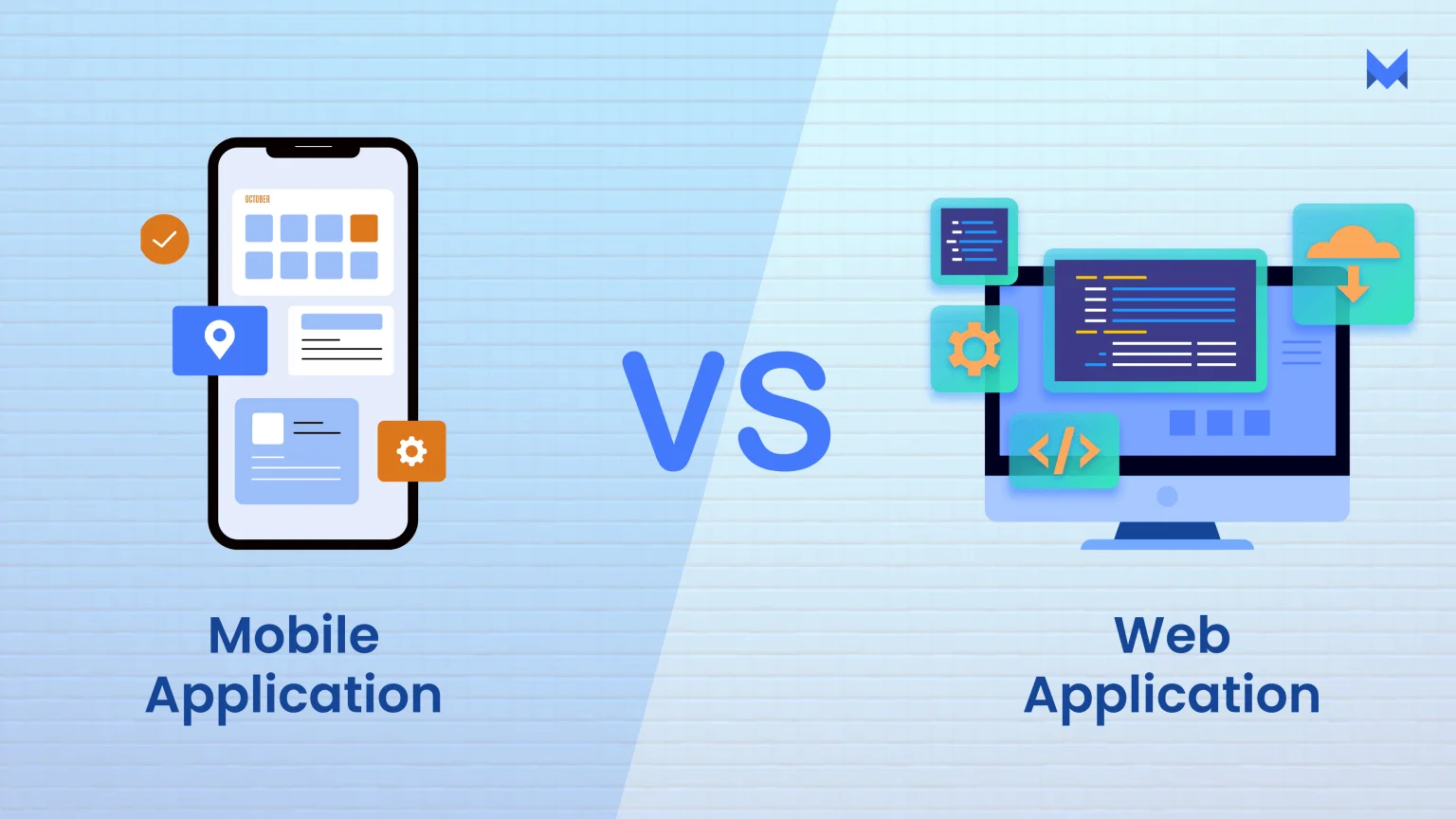
- What Is the Difference Between a Website and a Web Application?
- What Is a Website?
- What Is a Web Application?
- Website vs Web Application: Key Differences
- Website vs Web Application Examples in Real Life
- Website vs Web Application: Cost and Development Time
- Which Is Better for a Small Business: a Website or a Web Application?
- Can a Website Also Have Web Application Features?
- How to Decide What Your Business Needs
What Is the Difference Between a Website and a Web Application?
A website primarily provides information for visitors to read, explore, or discover a business, while a web application allows users to perform tasks and interact with data through a web browser. For example, a company website introduces its services, whereas a booking application lets customers select dates, make reservations, and manage appointments. Both can include interactive features, and many modern websites combine informational content with web application functionality.
Key takeaway: Choose a website to build an online presence and attract customers. Consider a web application when your business needs interactive features, user accounts, personalized dashboards, or automated workflows.
What Is a Website?
A website is a collection of related web pages available under a common domain name and accessed through a web browser. It helps businesses, individuals, and organizations share information, showcase products or services, publish content, and connect with visitors online.
A website can include text, images, videos, contact forms, product listings, and interactive features. For example, a small business website can introduce a company, explain its services, display customer testimonials, and help potential customers submit enquiries.
Websites can be built using HTML, CSS, and JavaScript or managed through a content management system (CMS) such as WordPress. Their complexity depends on the purpose, design, and functionality required.
Common Website Features
Most business websites combine informational content with features that help visitors find information and take action. Common features include:
-
Homepage: Introduces the business and directs visitors to important pages.
-
About page: Explains the company's background, expertise, and values.
-
Products or services pages: Describe available offerings, benefits, and pricing where applicable.
-
Contact page: Provides contact details, enquiry forms, or location information.
-
Blog: Publishes articles, guides, and updates that answer customer questions.
-
Calls to action: Encourage visitors to call, request a quote, book an appointment, or make a purchase.
Depending on their needs, websites may also include search functions, online payments, booking systems, customer accounts, and other interactive tools.
Types of Websites
Websites serve different purposes depending on their audience and business goals. Common types include:
-
Business websites: Present company information, services, and contact details.
-
Blogs: Publish articles, educational resources, opinions, and industry updates.
-
Portfolio websites: Showcase projects, creative work, and professional experience.
-
Landing pages: Focus on a specific offer, campaign, product, or conversion goal.
-
E-commerce websites: Display products, manage shopping carts, and support online transactions.
-
Educational websites: Share learning materials, course information, and educational resources.
Some websites combine multiple types. For example, a business website may include a blog, a portfolio, and an online store.
Website Examples for Small Businesses
Small businesses can use websites to improve online visibility, build trust, and generate enquiries.
A local bakery can display its menu, opening hours, address, and custom-cake options. Customers can browse products and contact the bakery to place orders.
A digital marketing agency can showcase SEO services, case studies, client testimonials, and a contact form to attract potential clients.
A freelance designer can use a portfolio website to display completed projects, explain services, and provide a way for prospective customers to request a quote.
A coaching centre can publish course details, instructor profiles, class schedules, and admission information to help students and parents make informed decisions.
In each case, the website provides a central online presence where visitors can learn about the business and decide what to do next. It may also include interactive functionality, but its main purpose can remain presenting information and attracting potential customers.
What Is a Web Application?
A web application is software that runs in a web browser and allows users to perform tasks, interact with data, or complete specific activities online. Unlike a website designed mainly to present information, a web application typically focuses on functionality, such as managing bookings, editing documents, tracking orders, or handling business operations.
Web applications commonly use a frontend to display the interface, a backend to process requests, and a database to store and retrieve information. Depending on the application, they may also use APIs to connect with other services and authentication to protect user accounts.
For example, an online appointment system can let customers select available time slots, book appointments, and receive confirmations. A business dashboard can help employees monitor sales, manage inventory, and update customer records. These applications run through a browser without necessarily requiring users to install traditional desktop software.
Common Web App Features
Web applications include features designed to help users complete tasks efficiently. Their functionality depends on the purpose of the software.
-
User accounts and authentication: Allow users to sign in and access appropriate features or personal information.
-
Interactive dashboards: Display information such as sales figures, bookings, reports, or project progress.
-
Data management: Let users create, view, update, and delete records when authorized.
-
Database integration: Stores information such as customer details, transactions, appointments, or inventory.
-
Search and filtering: Help users find specific records, products, or information.
-
APIs and integrations: Connect the application with payment gateways, email platforms, accounting software, or other systems.
-
Automated workflows: Perform tasks such as sending booking confirmations, updating order statuses, or generating reports.
Not every web application needs all these features. A simple booking tool may require only a form, availability management, and confirmation messages, while a large business platform may need multiple user roles and complex integrations.
Types of Web Applications
Web applications can be grouped by their functionality and intended users.
-
E-commerce applications: Support shopping carts, checkout, payments, and order tracking.
-
Customer relationship management (CRM) applications: Help businesses manage customer information, leads, sales activities, and follow-ups.
-
Project management applications: Allow teams to assign tasks, track progress, share files, and collaborate.
-
Online booking applications: Manage appointments, reservations, schedules, and availability.
-
Financial applications: Help users manage invoices, expenses, transactions, or financial records.
-
Software as a Service (SaaS) applications: Provide software features through a browser, often using a subscription model.
-
Content management applications: Allow authorized users to create, edit, organize, and publish digital content.
These categories can overlap. For example, an e-commerce platform may also include inventory management, customer accounts, analytics, and marketing automation.
Web Application Examples
Google Docs is a web application that allows users to create, edit, store, and collaborate on documents through a browser.
Gmail provides email management, search, message organization, and account-specific functionality through an interactive interface.
An online booking system enables customers to select appointment times while business owners manage schedules, cancellations, and reservations.
A customer portal lets clients sign in to view invoices, check service requests, download documents, or track progress.
An inventory management application helps retailers update stock levels, monitor products, manage orders, and review inventory reports.
These examples demonstrate the central purpose of a web application: enabling users to perform tasks and work with information online. Some applications are publicly accessible, while others require authentication or specific permissions. The necessary features depend on the problem the software is designed to solve.
Website vs Web Application: Key Differences
The main difference between a website and a web application is their primary purpose. A website mainly provides information, publishes content, or promotes a business, while a web application allows users to perform tasks, manage data, and interact with software through a web browser. However, modern websites can also include application-like features.
Website vs Web Application: Comparison Table
|
Feature |
Website |
Web Application |
|---|---|---|
|
Primary purpose |
Share information and promote services |
Help users complete tasks and manage data |
|
Functionality |
Often focused on content and browsing |
Focused on interactive features and workflows |
|
User interaction |
Reading pages, submitting forms, contacting a business |
Logging in, booking services, editing records, managing accounts |
|
User accounts |
Optional and often unnecessary |
Common when personalized access is required |
|
Data storage |
May use a CMS or database to manage content |
Often uses a database to store and process user-specific data |
|
Backend processing |
Can be simple or complex |
Often includes application logic and data processing |
|
Development |
May use templates, website builders, or custom code |
Often requires more application logic, testing, and integration |
|
Maintenance |
Content updates, software updates, backups, and security |
Application updates, database maintenance, testing, backups, and security |
|
Security |
Protects the site, forms, content, and visitor information |
May require additional controls for accounts, permissions, and sensitive data |
|
Scalability |
Must handle growing traffic and content |
Must handle growing users, data, transactions, and workloads |
|
SEO and discoverability |
Public pages can often be crawled and indexed by search engines |
Public pages can also rank, but private or login-protected areas generally cannot be indexed |
|
Examples |
Business website, blog, portfolio, company website |
Online banking portal, project management tool, booking dashboard |
The distinction is not absolute. An e-commerce website, for example, may combine publicly accessible product pages with application features such as shopping carts, customer accounts, inventory management, and payment processing.
Purpose and Functionality
A website primarily helps visitors find information about a business, product, service, or topic. A web application focuses on enabling users to complete specific tasks.
For example, a local accounting firm might use a website to explain its services, publish tax guides, and collect enquiries. If clients can also upload financial documents, track requests, and download personalized reports, the firm may need a web application or an integrated client portal.
The right choice depends on what users need to accomplish, not simply on how many pages a project contains.
User Interaction and Accounts
Websites commonly allow visitors to navigate pages, read articles, submit contact forms, or subscribe to newsletters. These interactions do not automatically make a website a web application.
Web applications generally offer more task-oriented interactions, such as creating records, updating information, managing bookings, or viewing personalized dashboards. Authentication may be necessary when users need secure access to their accounts or private information.
However, not every web application requires a login, and websites can include login systems too. The important distinction is the functionality provided after users interact with the system.
Data Storage and Processing
A website may use a content management system (CMS), such as WordPress, with a database to store articles, images, pages, and other content. Therefore, a database alone does not distinguish a website from a web application.
Web applications typically use application logic to process user inputs, retrieve or update records, and generate personalized results. For example, a booking application might check availability, save reservations, and send confirmation messages.
The more complex the data processing and user workflows become, the more important it is to plan the backend, database structure, integrations, and data protection requirements.
Development and Maintenance
A basic business website can often be built using a website builder, a CMS, or a pre-designed theme. Development effort usually depends on the design, content, integrations, and required functionality.
A custom web application may need additional planning for frontend interfaces, backend logic, database design, testing, access permissions, and third-party integrations. These requirements can increase development time and ongoing maintenance costs.
Neither option is automatically inexpensive or easy to maintain. A large website with complex integrations may require substantial technical work, while a small web application built on an established platform may be relatively straightforward.
Security and Scalability
Both websites and web applications require security. Common measures include HTTPS, software updates, secure hosting, backups, access controls, and protection against malicious requests.
Web applications may introduce additional risks because they process user inputs, manage accounts, or handle private records. Depending on their functionality, they may need stronger authentication, role-based permissions, input validation, session management, and database protection.
Scalability also depends on the system's design and workload. A website may need to handle increasing visitor traffic, while a web application may need to support more simultaneous users, transactions, and data processing. Both should be designed around realistic growth expectations.
SEO and Discoverability
Public-facing websites are often designed to attract organic traffic through search-friendly content, clear navigation, descriptive page titles, and internal links. This makes them useful for businesses that want customers to discover their services through Google.
Web applications can also have search-visible pages. For example, an online marketplace may publish indexable product pages while keeping customer accounts and checkout processes private.
However, private dashboards and login-protected content generally cannot be accessed and indexed by search engines. If organic traffic is a priority, businesses should distinguish between their public marketing pages and the private functionality of their application.
Practical takeaway: Choose a website when your primary goal is to inform, attract, or convert visitors. Consider a web application when users need to complete ongoing tasks, manage information, or use personalized functionality. Some businesses benefit from combining both.
Website vs Web Application Examples in Real Life
The difference between a website and a web application becomes easier to understand through real-world business examples. A website typically helps people discover information about a business, while a web application allows users to complete tasks, manage information, or interact with a service. However, many modern platforms combine both functions.
1. Local Business Website
A local business website helps potential customers learn about a company, explore its services, check opening hours, and contact the business.
For example, a dental clinic in India might publish its treatments, dentist profiles, location, consultation hours, and contact details. Visitors can find the clinic through Google Search and call to book an appointment.
Why it is a website: Its primary purpose is to provide information and attract customers. Adding a contact form or WhatsApp button does not automatically make it a web application.
2. Online Store
An online store allows customers to browse products, compare prices, add items to a shopping cart, make payments, and track orders.
For example, a clothing retailer can sell products through an e-commerce website that includes product listings, customer accounts, payment gateways, and order management.
Why it can function as a web application: Its interactive features process customer actions and transaction data. An online store can therefore combine public website pages with web application functionality.
3. Appointment Booking System
An appointment booking system lets customers view available time slots, select a service, book an appointment, and receive confirmation.
For example, a healthcare clinic or coaching centre could let customers choose a suitable date and time without calling the business.
Why it is a web application: The system processes bookings, checks availability, and stores appointment records. It performs tasks beyond simply displaying information.
4. Customer Portal
A customer portal provides a secure space where customers can access personal information, invoices, service requests, or account details.
For example, a digital marketing agency could let clients log in to review campaign reports, download invoices, and track project progress.
Why it is a web application: Users access information associated with their accounts, and the system manages permissions and data. Security and access controls are particularly important.
5. SaaS Dashboard
A Software as a Service (SaaS) dashboard allows users to access software features through a web browser, usually with an account.
For example, a small business might use an online accounting platform to create invoices, record expenses, track payments, and generate financial reports.
Why it is a web application: The platform processes user inputs, saves records, and generates results dynamically. It provides an interactive software service rather than only publishing information.
The key takeaway is that a business website and a web application are not mutually exclusive. A business can use a public website to attract customers and integrate a booking system, customer portal, or SaaS product to serve them. The right approach depends on the tasks customers need to complete and the functionality the business requires.
Website vs Web Application: Cost and Development Time
The cost and development time of a website or web application depend on its features, design, technical complexity, integrations, testing requirements, and ongoing maintenance. A basic business website is usually quicker and less expensive to build than a custom web application with user accounts, databases, dashboards, and automated workflows. However, the actual budget depends on the project's scope rather than its category alone.
Website Development Cost Factors
Website development costs depend on the number of pages, design requirements, content management system, and functionality. A small business website built with WordPress or another established platform may be relatively affordable because it can use existing themes, plugins, and content management tools.
Costs increase when a project requires custom designs, advanced animations, multilingual content, booking features, payment gateways, or third-party integrations. Content creation, mobile responsiveness, SEO setup, and accessibility testing can also affect the final quotation.
Development time follows a similar pattern. A straightforward business website may take days to a few weeks, while a larger website with custom functionality and extensive content may take several weeks or longer.
Web App Development Cost Factors
Web application development generally requires more planning because the software must support user interactions, process information, and manage data reliably. Depending on the project, developers may need to build a frontend, backend, database, authentication system, APIs, user permissions, and administrative dashboards.
For example, a customer portal that allows users to track orders requires more functionality than a website that simply displays a company's products and contact details. Testing, data protection, payment integration, and error handling also contribute to development costs.
A simple web application may take several weeks to develop, while a complex application with multiple user roles, integrations, and business workflows may require months. These are broad planning estimates, not guaranteed timelines.
Ongoing Hosting, Security and Maintenance
The initial development budget is only one part of the total cost of ownership. Both websites and web applications need reliable hosting, software updates, backups, security monitoring, and technical support.
Web applications may require additional investment in database management, access controls, API monitoring, performance optimisation, and application security testing. Costs also depend on traffic, storage requirements, uptime expectations, and the sensitivity of the information being handled.
|
Cost factor |
Business website |
Web application |
|---|---|---|
|
Initial development |
Often lower for standard sites |
Often higher for custom functionality |
|
Hosting |
Basic hosting may be sufficient |
May require more specialised infrastructure |
|
Security |
Updates, backups and access protection |
May also require stronger authentication and data controls |
|
Testing |
Layout, browser and form testing |
Functional, integration, security and workflow testing |
|
Maintenance |
Content, plugins and platform updates |
Code, database, dependencies and integrations |
|
Future changes |
New pages and features |
New workflows, permissions and application features |
How to Compare Developer Quotes
Before selecting a developer or agency, compare the deliverables rather than choosing solely by the lowest price. Two quotations may look similar but cover very different levels of functionality, testing, support, and ownership.
Use this checklist when reviewing proposals:
-
Scope: Confirm the number of pages, features, user roles, and integrations included.
-
Design: Check whether custom UI/UX design or a pre-built template will be used.
-
Technology: Identify the platform, frameworks, database, and third-party services involved.
-
Testing: Confirm mobile, browser, functionality, performance, and security testing requirements.
-
Ownership: Clarify access to the domain, hosting, source code, accounts, and project files.
-
Maintenance: Check post-launch support, update responsibilities, and additional charges.
Timeline: Request milestones, testing periods, and a clear definition of project completion.
Which Is Better for a Small Business: a Website or a Web Application?
For most small businesses, a website is the best starting point for building an online presence, attracting customers, and generating leads. A web application is more suitable when a business needs interactive features, customer accounts, or workflow automation. The right choice depends on your goals, budget, and the tasks customers need to complete.
When to Choose a Website
Choose a website when your primary goal is to help potential customers discover your business, understand your services, and contact you. A business website can include service pages, product information, customer testimonials, contact forms, and blog content to support search engine optimization (SEO).
For example, a local consultancy, restaurant, coaching centre, or digital marketing agency can often meet its initial needs with a well-designed website. Customers can explore services, request quotations, book consultations through an integrated tool, or submit enquiries without requiring a custom web application.
A website is generally the more practical option when you need an affordable online presence, straightforward content management, and a platform for lead generation.
When to Choose a Web Application
Choose a web application when customers or employees need to perform tasks, manage information, or interact with data through a browser.
For example, a distributor might need an inventory dashboard, while a service company may need a customer portal to track projects, invoices, and support requests. A web application can also automate repetitive processes, manage user permissions, and integrate with customer relationship management (CRM) systems.
However, custom development introduces additional responsibilities, including security, testing, maintenance, and ongoing technical support. Before investing, confirm that your business genuinely needs custom functionality rather than an existing tool.
When a Business Needs Both
A business may benefit from both a website and a web application when it needs to attract new customers and provide interactive services to existing ones.
For example, an online education company could use a public website to explain courses, publish articles, and attract enquiries. Its web application could provide student logins, learning materials, progress tracking, assessments, and payment records.
The two can share branding and connect through APIs or other integrations. They do not necessarily need to be developed as separate systems; the architecture should depend on the business requirements.
When an Existing SaaS Tool Is Enough
An existing software-as-a-service (SaaS) product may be more practical than building a custom web application. SaaS tools can provide booking, invoicing, CRM, email marketing, project management, or inventory features through a subscription.
For example, a small consultancy might use a standard CRM to manage leads instead of commissioning a custom customer management platform. This can reduce upfront development costs and shorten implementation time.
Compare subscription fees, integration options, data ownership, security, and feature limitations before choosing. Custom development becomes more reasonable when existing tools cannot support important business processes or when their limitations create significant operational problems.
Website vs Web Application: Decision Matrix
|
Business requirement |
Recommended solution |
|---|---|
|
Build an online presence and attract leads |
Website |
|
Publish articles and improve organic visibility |
Website |
|
Accept basic enquiries or appointment requests |
Website with an appropriate tool |
|
Manage customer accounts and personalised dashboards |
Web application |
|
Automate complex internal workflows |
SaaS tool or web application |
|
Manage inventory across multiple users |
SaaS tool or web application |
|
Promote services and provide a customer portal |
Website and web application |
|
Handle business tasks already supported by affordable software |
Existing SaaS tool |
Can a Website Also Have Web Application Features?
Yes, a website can include web application features such as online booking, user accounts, payment processing, interactive forms, and personalized dashboards. The difference between a website and a web application is not always clear-cut because modern websites can combine informational content with interactive functionality.
For small businesses, this means you may not need to build a separate web application. Your existing website might support the features your customers need through plugins, third-party tools, or custom development.
Interactive Website Features
A business website can do much more than display information. Depending on its design and functionality, it can allow visitors to complete tasks and interact with business services.
Common examples include:
- Contact forms: Let visitors submit enquiries and request quotations.
- Booking tools: Allow customers to schedule appointments or consultations.
- Payment gateways: Enable online payments for products and services.
- User accounts: Give registered customers access to their profiles or order details.
- APIs and integrations: Connect the website to CRM systems, payment services, inventory tools, or external applications.
For example, a clinic website can display doctors' profiles and opening hours while allowing patients to book appointments online. The informational pages function like a traditional website, while the booking system provides application-like functionality.
However, adding one interactive feature does not automatically make an entire website a web application. The distinction depends on how much the system focuses on interactive tasks, data processing, and user-specific functionality.
Website-to-Web-App Upgrades
A business can gradually expand its website into a more sophisticated interactive platform as its needs change.
For example, a small retailer might start with a website that displays products and contact information. Later, it could add online payments, customer accounts, order tracking, and inventory integration. If these features require substantial custom logic and data management, the business may benefit from developing a dedicated web application or application layer.
The right approach depends on the complexity of the required features. Plugins and third-party services can be sufficient for basic bookings or payments, while custom development may be more suitable for complex workflows, specialized permissions, or integrations.
Before upgrading, assess security, compatibility, maintenance costs, and the user experience. Adding unnecessary features can increase complexity without providing meaningful business value.
Planning for Future Growth
When choosing between a website and a web application, consider what your business needs today and what it may require later. A flexible website can be a practical starting point, provided its underlying platform supports your expected growth.
Start by identifying the tasks customers need to complete, the information your business must store, and whether different users require different levels of access. Then compare existing plugins or SaaS tools with custom development.
For instance, a consultancy may need only a service website and enquiry form, whereas a training company offering student accounts, course progress tracking, and assessments may need a more advanced web application.
How to Decide What Your Business Needs
Choosing between a website and a web application starts with understanding your business goals, customer needs, budget, and technical requirements. You do not always need a custom web application to run your business online. A well-designed website combined with existing tools may be enough.
Use the following checklist to identify the most suitable solution before investing in development.
List the Tasks Users Must Complete
Start by identifying what visitors or customers need to do on your platform. If they mainly need to read information, explore services, view products, or contact your business, a website may be sufficient.
If users must complete complex tasks, manage transactions, track progress, or interact with personalized information, a web application may be more appropriate.
For example, a restaurant may need a website with its menu and contact details, while an online food ordering platform may require order management, payment processing, and customer accounts.
Identify Data and Access Requirements
Consider what information your platform must collect, store, and process. A simple enquiry form may require only basic form handling, while a customer portal may need a database, authentication, and different user permissions.
Identify whether customers, employees, administrators, or business partners need separate access levels. Also determine how personal information will be protected and who can view or modify it.
The more complex your data and user-access requirements become, the more carefully you should evaluate the underlying technology.
Set a Realistic Budget
Your budget should cover more than the initial development cost. Consider design, hosting, domain registration, integrations, testing, security, updates, and ongoing maintenance.
A standard business website may be more affordable when its requirements are straightforward. A custom web application can require a larger investment because of its business logic, database architecture, integrations, and testing needs.
Request itemized quotations and compare the actual deliverables rather than choosing a provider based only on the lowest price.
Evaluate Security and Maintenance
Every business website needs appropriate security, but platforms that handle customer accounts, payments, or sensitive information may require additional safeguards.
Check whether the solution supports HTTPS, secure authentication, software updates, access controls, backups, and suitable data-protection practices. Determine who will maintain the platform and respond to technical problems.
If you use third-party plugins or external services, also consider their ongoing costs, compatibility, and security responsibilities.
Plan for Future Requirements
Think about how your business might change over the next few years. You may eventually need online payments, customer dashboards, automated workflows, inventory management, or integrations with CRM software.
Choose a solution that can accommodate realistic growth without paying for unnecessary features today. Existing SaaS tools or plugins may provide a practical intermediate step before investing in custom development.
Quick decision checklist:
-
Choose a website when your main goal is publishing information, generating leads, or showcasing products and services.
-
Consider a web application when users need complex interactions, personalized dashboards, or ongoing data processing.
-
Consider combining both when you need public-facing content alongside customer-specific functionality.
-
Compare total cost of ownership, security, maintenance, and future requirements before deciding.
The best solution is the one that meets your business needs reliably without introducing unnecessary development costs or complexity.