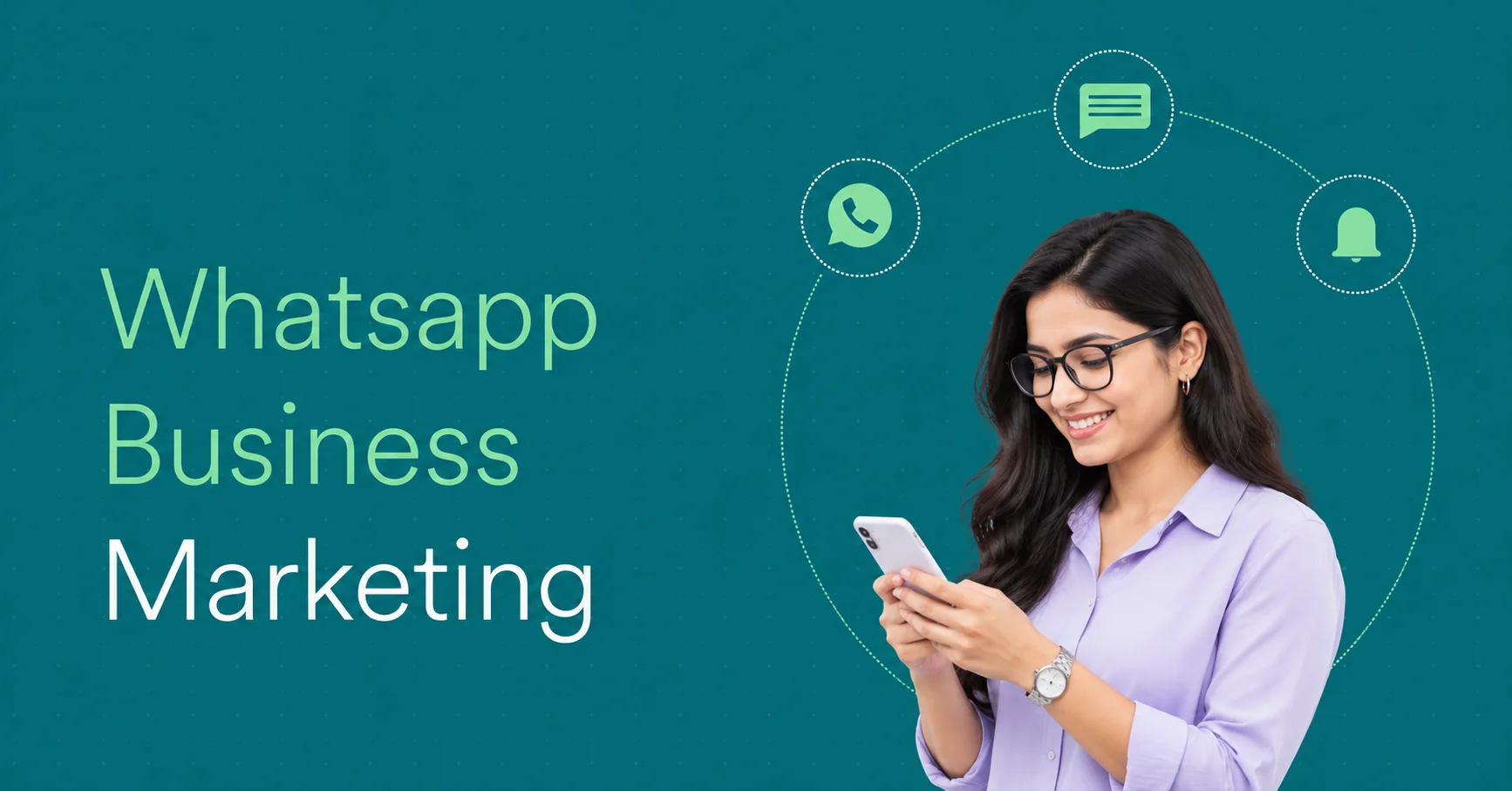
What Is WhatsApp Marketing? Strategies, Tools & Tips

- Introduction – Why WhatsApp Marketing Matters for Businesses
- What Is WhatsApp Marketing?
- How Does WhatsApp Marketing Work?
- Types of WhatsApp Marketing
- Benefits of WhatsApp Marketing for Businesses
- WhatsApp Business App vs WhatsApp Business Platform (API)
- How to Do WhatsApp Marketing: Step-by-Step Guide
- WhatsApp Marketing Strategies That Businesses Can Use
- How to Advertise a Product on WhatsApp
- WhatsApp Marketing Campaign Examples
- WhatsApp Promotion Message Templates for Businesses
- WhatsApp Marketing Tools and Software
- How to Send Bulk Messages on WhatsApp Business
- WhatsApp Marketing Cost in India
- How to Measure WhatsApp Marketing Campaign Performance
- Common WhatsApp Marketing Mistakes to Avoid
Introduction – Why WhatsApp Marketing Matters for Businesses
Customers expect quick responses, personalized communication, and convenient ways to interact with businesses. Traditional marketing channels such as email, websites, and social media remain important, but they may not always provide the direct conversations customers want. This is where WhatsApp marketing becomes valuable.
WhatsApp marketing is a digital marketing approach that helps businesses connect with customers through promotional messages, product updates, customer support, automated responses, and personalized campaigns. Using WhatsApp Business tools, companies can communicate with potential buyers, answer questions, share product information, and build long-term customer relationships.
For businesses in India, WhatsApp offers a familiar communication channel for reaching customers throughout their buying journey. From sharing offers and generating leads to sending order updates and collecting feedback, it supports multiple marketing activities within one platform.
However, successful WhatsApp marketing is not simply about sending bulk messages. It requires relevant content, customer permission, proper audience segmentation, and a clear communication strategy.
In this guide, you'll learn how WhatsApp marketing works, its benefits, strategies, tools, costs, and practical examples to help your business engage customers more effectively.
What Is WhatsApp Marketing?
WhatsApp marketing is a digital marketing strategy that uses WhatsApp to promote products, share business updates, generate leads, and communicate directly with customers. Businesses use WhatsApp Business tools to send promotional messages, share product catalogues, provide customer support, and build long-term relationships through personalized conversations.
Unlike traditional advertising, WhatsApp marketing focuses on direct communication between businesses and customers. It allows companies to share relevant information, answer customer questions, and guide potential buyers throughout their purchasing journey.
For example, an online clothing store can use WhatsApp to announce a new collection, share product images, send discount offers, and answer questions about sizes and delivery. This helps customers make purchasing decisions through a familiar messaging platform.
What Is WhatsApp Marketing in Digital Marketing?
WhatsApp marketing is a form of conversational and direct marketing within the broader digital marketing ecosystem. It helps businesses connect with their target audience through personalized messages rather than relying entirely on traditional advertising channels.
Businesses can integrate WhatsApp into their digital marketing strategy alongside SEO, social media marketing, email marketing, and paid advertising.
For example, a business can run a Facebook or Instagram advertisement encouraging users to start a WhatsApp conversation. Once customers initiate contact, the business can answer questions, share product details, and help them complete a purchase.
This makes WhatsApp useful for lead generation, customer engagement, sales communication, and retention.
What Is a WhatsApp Marketing Message?
A WhatsApp marketing message is a business communication sent through WhatsApp to inform, engage, or encourage customers to take a specific action. These messages may include promotional offers, product announcements, event invitations, service updates, and personalized recommendations.
-
Promotional messages: Announcing discounts, special offers, and seasonal sales.
-
Product updates: Sharing new arrivals, product launches, and catalogue information.
-
Welcome messages: Greeting new customers after they contact a business.
-
Follow-up messages: Reconnecting with interested customers who have not completed a purchase.
-
Re-engagement messages: Informing existing customers about relevant offers or updates.
Businesses should send marketing messages only in accordance with applicable customer consent requirements and WhatsApp Business policies.
What Is WhatsApp Marketing Used For?
WhatsApp marketing helps businesses manage different stages of customer communication, from initial awareness to post-purchase engagement.
-
Product promotion: Sharing product information, offers, discounts, and new launches.
-
Lead generation: Connecting with potential customers through advertisements and direct conversations.
-
Customer support: Answering questions, resolving issues, and providing assistance.
-
Order notifications: Sending order confirmations, shipping updates, and delivery information.
-
Marketing automation: Using automated replies and workflows to manage repetitive customer interactions.
-
Customer retention: Sharing relevant updates, requesting feedback, and encouraging repeat purchases.
By combining promotional communication with customer support and personalized interactions, businesses can use WhatsApp as an important part of their overall digital marketing strategy.
How Does WhatsApp Marketing Work?
WhatsApp marketing works by connecting businesses with customers through the WhatsApp Business App or WhatsApp Business Platform. Businesses use these solutions to communicate with customers, share promotional content, automate responses, and manage conversations throughout the buying journey.
The process typically involves collecting customer permission, creating relevant messages, delivering them through WhatsApp, and tracking customer responses to improve engagement and conversions.
How Businesses Connect With Customers
Businesses can connect with customers through several methods, depending on their marketing goals and audience.
-
Website integration: Add a WhatsApp chat button to your website so visitors can contact your business directly.
-
Social media: Share WhatsApp links on Instagram, Facebook, and other social platforms.
-
Click-to-WhatsApp Ads: Run Meta advertisements that encourage users to start conversations with your business.
-
QR codes: Place WhatsApp QR codes on product packaging, brochures, advertisements, and storefronts.
-
Customer enquiries: Invite existing customers to receive relevant updates and offers through WhatsApp.
How WhatsApp Messages Reach Customers
WhatsApp provides different messaging options depending on business requirements and campaign size.
The WhatsApp Business App supports direct conversations, quick replies, automated greeting messages, and broadcast lists. Larger businesses can use the WhatsApp Business Platform, which supports API-based messaging, integrations, and advanced automation.
-
Customer opt-in: Collect customer permission to receive relevant business communications.
-
Audience segmentation: Organize contacts based on interests, preferences, and purchasing behaviour.
-
Message creation: Prepare promotional content, updates, or approved message templates where required.
-
Message delivery: Send messages through the appropriate WhatsApp Business solution.
-
Automated responses: Use chatbots or automated workflows to handle common enquiries.
-
Performance tracking: Monitor available delivery, engagement, and conversion metrics.
For businesses using the WhatsApp Business Platform, marketing messages outside the customer service window generally require approved templates. Businesses must also follow applicable messaging and quality requirements.
How Customer Responses Turn Into Leads and Sales
WhatsApp marketing can support lead generation by turning customer interactions into meaningful sales conversations. When customers respond to promotional messages or advertisements, businesses can understand their requirements and recommend relevant products or services.
For example, a travel agency can run a Click-to-WhatsApp Ad promoting a holiday package. Interested users can start a conversation, ask about prices, check available packages, and receive personalized recommendations.
-
Understand the customer's requirements.
-
Share relevant products, services, or pricing details.
-
Answer questions and resolve objections.
-
Schedule appointments or arrange product demonstrations.
-
Guide interested customers towards completing a purchase.
-
Follow up with customers who have given permission for further communication.
The key advantage is that WhatsApp marketing connects promotion with direct customer communication, helping businesses move potential buyers from initial interest towards informed purchasing decisions.
Types of WhatsApp Marketing
1. Promotional Message Marketing
Promotional message marketing involves sending customers relevant information about products, services, discounts, special offers, and new launches through WhatsApp.
Businesses use promotional messages to attract potential buyers and encourage existing customers to make repeat purchases.
Example: An online clothing store sends customers a message announcing a 20% discount on its new collection, along with a product link.
Common promotional messages include:
-
Discount and seasonal sale announcements.
-
New product launch notifications.
-
Limited-time offers.
-
Festival and holiday promotions.
-
Special customer offers.
Businesses should obtain appropriate customer consent before sending promotional communications.
2. WhatsApp Broadcast Marketing
WhatsApp broadcast marketing allows businesses to send the same message individually to multiple contacts without creating a group conversation. Each recipient receives the message as a separate chat.
It is useful for businesses that want to share updates with existing customers while maintaining individual communication.
Example: A restaurant sends a weekend special menu and discount announcement to customers who have opted in to receive updates.
WhatsApp Business App broadcast lists have recipient and eligibility limitations. For larger campaigns, businesses can use the WhatsApp Business Platform with appropriate templates and customer permissions.
3. WhatsApp Catalogue Marketing
WhatsApp Catalogue Marketing allows businesses to display their products or services directly within their WhatsApp Business profile. Customers can browse product images, descriptions, and prices without visiting a separate website.
It helps businesses make product discovery and enquiries more convenient.
Example: A furniture retailer uploads sofas, tables, and bedroom sets to its WhatsApp catalogue. Customers can browse available products and contact the business to ask about delivery or pricing.
Businesses can use catalogues to:
-
Showcase products and services.
-
Share product information with customers.
-
Make product discovery easier.
-
Answer product-related enquiries.
-
Support purchasing decisions.
4. Click-to-WhatsApp Advertising
Click-to-WhatsApp advertising uses Meta advertising platforms to encourage people to start a WhatsApp conversation with a business. These advertisements can appear on Facebook and Instagram.
When users click the advertisement, they are redirected to a WhatsApp chat where they can enquire about products, services, or offers.
Example: A real estate company runs an Instagram advertisement promoting new residential properties. Interested buyers click the advertisement and start a WhatsApp conversation to request property details.
This advertising method is useful for lead generation, product enquiries, appointment bookings, and customer acquisition.
5. Conversational and Automated Marketing
Conversational marketing focuses on engaging customers through real-time, personalized interactions. Businesses can combine human support, automated replies, chatbots, and CRM integrations to manage customer conversations.
WhatsApp marketing automation helps businesses handle repetitive communication without manually responding to every enquiry.
Example: An online store uses a WhatsApp chatbot to answer questions about order status, product availability, shipping, and returns. Complex enquiries are transferred to a customer support representative.
Common applications include:
-
Automated welcome messages.
-
Frequently asked question responses.
-
Lead qualification.
-
Appointment reminders.
-
Order and delivery updates.
-
Automated customer follow-ups.
6. Customer Retention and Re-engagement Campaigns
Customer retention and re-engagement campaigns use WhatsApp to maintain relationships with existing customers and encourage repeat interactions.
Instead of focusing only on acquiring new customers, businesses send relevant updates to customers who have previously purchased or shown interest in their products or services.
Example: An online skincare brand sends an opted-in customer a personalized message about a newly launched product that matches their previous purchase interests.
Common retention campaigns include:
-
Personalized product recommendations.
-
Repeat purchase reminders.
-
Loyalty programme updates.
-
Customer feedback requests.
-
Special offers for existing customers.
-
Relevant product and service updates.
These campaigns help businesses maintain customer relationships while keeping communication relevant and permission-based.
Benefits of WhatsApp Marketing for Businesses
WhatsApp marketing helps businesses communicate directly with customers, promote products, generate leads, and improve customer relationships. It combines messaging, automation, and personalized communication to support different stages of the customer journey.
Direct Customer Communication
WhatsApp allows businesses to communicate directly with customers through individual chats, broadcast messages, and automated conversations. Unlike traditional advertising, it provides a convenient channel for customers to ask questions and receive business information.
For example, an electronics retailer can share product details, pricing, and availability with customers through WhatsApp, helping them make informed purchasing decisions.
Better Customer Engagement
Regular and relevant communication helps businesses maintain customer interest and encourage meaningful interactions. Companies can use WhatsApp to share product updates, promotional offers, event announcements, and useful information.
For example, a restaurant can share its weekly menu, introduce new dishes, and announce special offers to customers who have opted in to receive updates.
This creates opportunities for ongoing conversations rather than one-way promotional communication.
Lead Generation and Sales Opportunities
WhatsApp marketing helps businesses turn customer interest into sales opportunities. Companies can attract potential customers through Click-to-WhatsApp Ads, website chat buttons, QR codes, and social media links.
For example, a real estate agency can run a Facebook advertisement for a new residential project. Interested users can start a WhatsApp conversation to request property details, pricing, and site visit appointments.
Businesses can then qualify enquiries, answer questions, and guide potential buyers towards a purchase.
Personalized Customer Experiences
Businesses can use customer preferences, previous interactions, and purchase history to make WhatsApp communication more relevant. Personalized messages help customers receive information that matches their interests and requirements.
For example, an online fashion retailer can share new arrivals based on a customer's previous product preferences rather than sending the same promotional message to everyone.
Customer segmentation and CRM integrations can make this process more organized and effective.
Faster Customer Support
WhatsApp provides a convenient channel for customers to ask questions, report problems, and request assistance. Businesses can use quick replies, automated responses, and chatbots to handle common enquiries.
For example, an eCommerce company can use WhatsApp to answer questions about order status, shipping, payment methods, and return policies.
This can reduce repetitive support work and make it easier for customers to access assistance.
Customer Retention and Repeat Purchases
WhatsApp marketing helps businesses stay connected with existing customers through relevant updates, product recommendations, loyalty offers, and follow-up messages.
For example, a beauty products company can send opted-in customers information about product restocks or complementary products based on their previous purchases.
By maintaining useful communication after the initial sale, businesses can encourage repeat purchases and strengthen long-term customer relationships.
Overall, WhatsApp marketing supports customer engagement, lead generation, sales communication, and retention through a familiar and direct messaging channel.
WhatsApp Business App vs WhatsApp Business Platform (API)
WhatsApp offers two main solutions for businesses: the WhatsApp Business App and the WhatsApp Business Platform (API). Both help companies communicate with customers, but they differ in automation, integration capabilities, scalability, and team management.
The WhatsApp Business App is suitable for small businesses managing customer conversations manually, while the WhatsApp Business Platform is designed for businesses that need advanced automation, CRM integration, and large-scale messaging.
WhatsApp Business App Features
The WhatsApp Business App is a free-to-download application designed for small businesses that want to manage customer conversations directly from their smartphones.
It includes features that help businesses organize enquiries, display products, and communicate with customers without requiring technical development.
Key features include:
-
Business profile: Display your business name, address, website, description, and contact information.
-
Product catalogue: Showcase products and services with images, descriptions, and prices.
-
Quick replies: Save frequently used responses to answer common questions faster.
-
Greeting messages: Automatically welcome customers when they initiate conversations.
-
Away messages: Inform customers when your business is unavailable.
-
Broadcast lists: Share messages with eligible contacts individually.
-
Labels: Organize conversations based on customer requirements and sales stages.
These features make the app practical for local shops, freelancers, restaurants, and small businesses.
WhatsApp Business Platform Features
The WhatsApp Business Platform, also known as WhatsApp Business API, allows medium-sized and large businesses to manage customer communication through integrated software and automated workflows.
Unlike the regular Business App, it does not provide a standalone messaging interface by itself. Businesses generally access it through their own software, a CRM, or a third-party business messaging platform.
Key features include:
-
Automated messaging: Send automated responses and notifications based on customer actions.
-
Chatbot integration: Handle frequently asked questions and qualify potential leads.
-
CRM integration: Connect WhatsApp conversations with customer relationship management systems.
-
Team inbox: Allow multiple support and sales representatives to manage conversations.
-
Message templates: Use approved templates for eligible business-initiated messages.
-
Campaign management: Manage marketing communication through supported business software.
-
Cloud API: Connect WhatsApp messaging capabilities with business applications and systems.
These capabilities help businesses manage larger customer communication requirements and more complex workflows.
WhatsApp Business App vs WhatsApp Business Platform: Key Differences
|
Feature |
Business App |
Business Platform |
|---|---|---|
|
Best suited for |
Small businesses |
Growing and large businesses |
|
Setup |
Simple app installation |
API or provider integration |
|
Cost |
Free to download |
Meta messaging and possible provider fees |
|
Automation |
Basic automated replies |
Advanced automation and workflows |
|
Chatbots |
Limited native capabilities |
Supports chatbot integrations |
|
CRM integration |
Limited |
Supported through integrations |
|
Team management |
Limited linked-device support |
Multi-agent solutions |
|
Bulk messaging |
Broadcast list limitations |
Scalable messaging within Meta limits |
|
Customization |
Basic |
Greater integration flexibility |
|
Technical requirements |
Minimal |
May require technical or provider support |
Which Option Should a Business Choose?
The right WhatsApp solution depends on business size, customer communication volume, budget, and automation requirements.
Choose WhatsApp Business App if:
-
You operate a small or local business.
-
You manage customer conversations yourself.
-
You need basic promotional and customer support features.
-
You want a simple solution without API integration.
Choose WhatsApp Business Platform if:
-
Your business receives a high volume of customer enquiries.
-
You need automated marketing and customer support workflows.
-
Multiple employees manage customer conversations.
-
You want CRM integration and advanced campaign management.
-
You need to connect WhatsApp with existing business software.
For example, a local clothing store may find the WhatsApp Business App sufficient for sharing product catalogues and answering enquiries. However, an eCommerce company managing thousands of customer interactions may benefit from the WhatsApp Business Platform.
How to Do WhatsApp Marketing: Step-by-Step Guide
Starting WhatsApp marketing requires more than creating a business account and sending promotional messages. Businesses need a clear strategy, a permission-based contact list, relevant content, and regular performance tracking.
Create a WhatsApp Business Account
Start by downloading the WhatsApp Business App from the Google Play Store or Apple App Store. Register your business phone number and complete your business profile with accurate information.
-
Business name and logo.
-
Business category and description.
-
Contact information and business address.
-
Website and email address.
-
Business operating hours.
-
Product or service catalogue.
If your business requires advanced automation, CRM integration, or multiple-agent support, consider using the WhatsApp Business Platform.
Build a Permission-Based Customer List
A quality customer list is more valuable than a large collection of random phone numbers. Collect contact details from people who agree to receive relevant business communications.
-
Website enquiry and subscription forms.
-
WhatsApp chat buttons.
-
In-store QR codes.
-
Social media campaigns.
-
Customer registration forms.
-
Existing customer interactions where appropriate permission is obtained.
Clearly explain what type of messages customers will receive and provide an easy way to opt out. Avoid purchasing contact lists or sending unsolicited promotional messages.
Define Your Marketing Goals
Before launching a campaign, decide what you want to achieve through WhatsApp marketing. Clear objectives help you select suitable messaging formats and measure campaign performance.
-
Generating qualified business leads.
-
Promoting new products and services.
-
Increasing online or offline sales.
-
Improving customer support.
-
Recovering abandoned shopping carts.
-
Encouraging repeat purchases.
For example, an online retailer may focus on recovering abandoned carts, while a coaching institute may use WhatsApp to generate course enquiries and schedule counselling sessions.
Segment Your Target Audience
Customer segmentation involves dividing your contact list into smaller groups based on shared characteristics, interests, and purchasing behaviour.
Instead of sending identical messages to everyone, businesses can share relevant information with specific customer groups.
-
Location: City, state, or service area.
-
Interests: Products or services they prefer.
-
Purchase history: Previous orders and buying patterns.
-
Customer stage: New leads, existing customers, or repeat buyers.
-
Engagement: Customers who regularly interact with your business.
For example, a travel agency can create separate customer segments for domestic holiday packages, international tours, and weekend trips.
Create Engaging Marketing Messages
Create messages that are clear, relevant, and focused on customer needs. A good WhatsApp marketing message should communicate its purpose quickly and include a suitable call to action.
-
Write short and easy-to-understand messages.
-
Personalize communication where appropriate.
-
Highlight relevant benefits and offers.
-
Use quality images or videos when useful.
-
Include product or service links.
-
Add a clear call to action.
For example, instead of sending a generic discount announcement, an online store can share a personalized product recommendation with a link to explore the collection.
For business-initiated messages through the WhatsApp Business Platform, use approved templates where required.
Launch and Manage Campaigns
Once your audience and messages are ready, launch your WhatsApp marketing campaign using the appropriate Business solution.
Choose a suitable communication method, such as broadcast messages, automated workflows, or Click-to-WhatsApp Ads.
-
Schedule messages at appropriate times.
-
Check message templates before sending.
-
Monitor customer replies.
-
Respond to enquiries promptly.
-
Respect opt-out requests.
-
Avoid excessive promotional messaging.
Businesses should also review campaign quality and messaging limits to maintain compliance with WhatsApp policies.
Monitor Campaign Performance
Tracking campaign performance helps businesses understand whether their WhatsApp marketing strategy is achieving its objectives.
-
Delivery rate: Percentage of messages successfully delivered.
-
Read rate: Percentage of delivered messages marked as read, where available.
-
Reply rate: Percentage of recipients who respond.
-
Click-through rate: Percentage of recipients who click campaign links.
-
Conversion rate: Percentage of users who complete the desired action.
-
Return on investment (ROI): Revenue generated compared with campaign costs.
WhatsApp Marketing Strategies That Businesses Can Use
An effective WhatsApp marketing strategy focuses on delivering relevant messages, building customer relationships, and encouraging meaningful interactions. Businesses should combine personalization, audience segmentation, automation, and targeted campaigns to reach customers at different stages of their buying journey.
Here are seven WhatsApp marketing strategies businesses can use to improve customer engagement and generate sales opportunities.
Personalized Messaging
Personalized messaging involves sending relevant messages based on customer preferences, previous purchases, interests, and interactions. Instead of sending identical promotional content to everyone, businesses can tailor communication to individual customer needs.
For example, an online fashion retailer can recommend products based on a customer's previous purchases or preferred clothing categories.
-
Using customer names where appropriate.
-
Recommending relevant products.
-
Sharing personalized offers.
-
Sending updates based on customer interests.
-
Providing relevant post-purchase information.
Customer Segmentation
Customer segmentation helps businesses divide their WhatsApp contact lists into smaller groups based on shared characteristics and behaviour. This makes marketing communication more targeted and relevant.
For example, an educational institute can create separate segments for students interested in online courses, professional certifications, and competitive exam preparation.
-
Location and demographics.
-
Product or service interests.
-
Previous purchase history.
-
New and existing customers.
-
Customer engagement levels.
Combining segmentation with personalized messaging helps businesses avoid irrelevant promotional communication.
Promotional and Festival Campaigns
Promotional and festival campaigns help businesses connect with customers through seasonal offers, product launches, discounts, and special announcements.
In India, businesses can plan campaigns around festivals and shopping occasions such as Diwali, Holi, Navratri, and major seasonal sales.
For example, an electronics retailer can send an opted-in customer segment a Diwali offer featuring selected products and a link to its online store.
-
Plan promotions around relevant occasions.
-
Share clear offer details and validity dates.
-
Use attractive product images.
-
Include a direct call to action.
-
Avoid sending excessive promotional messages.
Automated Follow-Ups
Automated follow-ups help businesses reconnect with customers after an enquiry, registration, appointment request, or purchase.
Using the WhatsApp Business Platform and suitable automation tools, businesses can create workflows that send relevant messages based on customer actions.
For example, a coaching institute can automatically send course details to a prospective student who submits an enquiry and provide a reminder about an upcoming counselling session.
Common automated follow-ups include enquiry responses, appointment reminders, order updates, and post-purchase communication.
Abandoned Cart Recovery
Abandoned cart recovery involves contacting customers who add products to their online shopping carts but leave without completing their purchases.
Businesses can use WhatsApp automation to send relevant reminders to customers who have provided the required permission and where the messaging is permitted under applicable policies.
For example, an online footwear store can send a reminder with a link to the customer's abandoned cart, making it easier to continue the checkout process.
-
Mention the relevant product.
-
Include a direct checkout link.
-
Answer common purchase concerns.
-
Avoid excessive reminders.
-
Respect customer preferences and opt-out requests.
Click-to-WhatsApp Ads
Click-to-WhatsApp Ads help businesses generate enquiries by directing users from Facebook or Instagram advertisements into a WhatsApp conversation.
These advertisements are useful for companies that want to encourage direct enquiries rather than sending potential customers to a traditional landing page.
For example, a real estate company can advertise a residential project on Instagram with a call-to-action button that allows interested buyers to request property details through WhatsApp.
Businesses can use these ads for product enquiries, appointment bookings, service consultations, and lead generation.
Customer Feedback and Re-engagement
Customer feedback and re-engagement campaigns help businesses maintain relationships with existing customers and understand their experiences.
Businesses can use WhatsApp to request reviews, collect feedback, share relevant updates, and reconnect with customers who have not interacted recently.
For example, a restaurant can send a feedback request after a customer's visit and ask about their dining experience.
-
Customer satisfaction surveys.
-
Post-purchase feedback requests.
-
Relevant product recommendations.
-
Loyalty programme updates.
-
Special offers for eligible existing customers.
Businesses should ensure that follow-up and promotional messages respect customer consent and WhatsApp messaging policies.
How to Advertise a Product on WhatsApp
Businesses can advertise products on WhatsApp using Status updates, product catalogues, promotional messages, QR codes, and Click-to-WhatsApp Ads. These methods help companies showcase their products, answer customer questions, generate enquiries, and encourage purchases through direct conversations.
Promote Products Through WhatsApp Status
WhatsApp Status allows businesses to share product images, videos, offers, and updates that remain visible to their contacts for 24 hours.
Businesses can use Status to showcase new arrivals, highlight popular products, announce discounts, and share product demonstrations.
For example, a clothing retailer can upload images of its latest collection with product details and a link for customers to enquire or place an order.
Best practices:
-
Use high-quality product images and videos.
-
Highlight important features and prices.
-
Share limited-time offers with clear validity.
-
Include a call to action.
-
Keep updates relevant to your audience.
Share Product Catalogues
The WhatsApp Business Catalogue feature allows businesses to display products and services directly on their business profile.
Customers can browse product images, descriptions, prices, and other available details before starting a conversation.
For example, an electronics retailer can create separate catalogue listings for smartphones, laptops, and accessories. Customers can explore available products and contact the business for further information.
Businesses should keep catalogue information updated and use clear images, accurate descriptions, and current prices.
Send Promotional Messages
WhatsApp promotional messages help businesses inform customers about new products, special discounts, seasonal offers, and exclusive deals.
For example, an online skincare brand can send an opted-in customer segment a message announcing a new product range with a link to explore the collection.
New Collection Just Arrived!
Discover our latest collection and explore products designed to match your style.
Enjoy a special launch offer for a limited period.
Explore the Collection →
Reply to this message if you need help choosing a product.
Keep promotional messages concise, relevant, and permission-based. Follow WhatsApp's applicable template and messaging rules.
Use WhatsApp Links and QR Codes
WhatsApp links and QR codes make it easier for potential customers to start conversations with your business.
Businesses can add WhatsApp links to their websites, social media profiles, product packaging, brochures, and digital advertisements.
For example, a furniture store can print a WhatsApp QR code on its product catalogue. Customers can scan the code to ask about product availability, pricing, and delivery options.
A standard WhatsApp chat link follows this format:
https://wa.me/91XXXXXXXXXX
Replace the phone number with your business number, including the country code without the plus sign or spaces.
Run Click-to-WhatsApp Ads
Click-to-WhatsApp Ads allow businesses to promote products through Facebook and Instagram advertisements and direct interested users to a WhatsApp conversation.
These ads are useful when businesses want to generate product enquiries, discuss customer requirements, and guide potential buyers towards a purchase.
For example, a mobile phone retailer can run an Instagram advertisement showcasing a new smartphone. When users click the advertisement, they can start a WhatsApp conversation to ask about specifications, pricing, and availability.
To run an effective campaign:
-
Select a product or offer to promote.
-
Create an advertisement with attractive product visuals.
-
Choose WhatsApp as the messaging destination.
-
Define your target audience and advertising budget.
-
Add a clear call to action.
-
Monitor enquiries and campaign performance.
By combining WhatsApp Status, catalogues, promotional messages, QR codes, and paid advertisements, businesses can create a practical product promotion strategy that connects customer interest with direct sales conversations.
WhatsApp Marketing Campaign Examples
WhatsApp marketing campaigns help businesses promote products, generate enquiries, share important updates, and maintain customer relationships through direct communication. Different industries use WhatsApp campaigns based on their audience, marketing objectives, and customer requirements..
eCommerce Product Promotion Campaign
eCommerce businesses use WhatsApp to announce new products, share discounts, recommend products, and remind customers about incomplete purchases.
Example: An online fashion store launches a new clothing collection and sends promotional messages to customers who have opted in to receive product updates. The message includes product images, a special offer, and a link to the online store.
Campaign objective: Increase product discovery, website visits, and online purchases.
Healthcare Appointment Reminder Campaign
Hospitals, clinics, and healthcare providers can use WhatsApp to send appointment confirmations, reminders, and relevant patient updates.
Example: A dental clinic sends a WhatsApp reminder to a patient one day before their scheduled appointment. The message includes the appointment time, clinic address, and contact information for rescheduling.
Campaign objective: Improve appointment communication and help reduce missed appointments.
Education Course Promotion Campaign
Educational institutions and training centres use WhatsApp to share course information, admission announcements, webinar invitations, and counselling details.
Example: An online learning institute launches a digital marketing course and sends course information to interested students who have requested updates. The message includes the syllabus, course duration, fees, and registration link.
Campaign objective: Generate course enquiries and encourage registrations.
Real Estate Lead Generation Campaign
Real estate companies use WhatsApp to share property details, schedule site visits, answer buyer questions, and follow up with interested prospects.
Example: A property developer runs a Facebook advertisement promoting a new residential project. Interested users start a WhatsApp conversation to receive information about property configurations, pricing, amenities, and site visits.
Campaign objective: Generate qualified property enquiries and arrange sales appointments.
Travel and Hospitality Promotion Campaign
Travel agencies, hotels, and tour operators use WhatsApp to promote holiday packages, share travel itineraries, communicate booking details, and send trip updates.
Example: A travel agency promotes a Rajasthan holiday package to customers interested in domestic travel. The WhatsApp message includes destination highlights, package details, travel dates, and a booking enquiry link.
Campaign objective: Generate travel enquiries and encourage package bookings.
Retail and Festival Offer Campaign
Retail businesses use WhatsApp to announce seasonal discounts, festival offers, new arrivals, and special promotions.
Example: An electronics retailer launches a Diwali campaign featuring discounts on selected smartphones, televisions, and home appliances. The business shares promotional images and offer details with customers who have opted in to receive marketing messages.
Campaign objective: Increase product enquiries and encourage purchases during the festive season.
WhatsApp Marketing Campaign Examples: Quick Comparison
| Industry | Campaign type | Main objective |
|---|---|---|
| eCommerce | Product promotion | Increase online sales |
| Healthcare | Appointment reminders | Improve appointment communication |
| Education | Course promotion | Generate student enquiries |
| Real estate | Property promotion | Generate qualified leads |
| Travel | Holiday package promotion | Increase booking enquiries |
| Retail | Festival offers | Encourage seasonal purchases |
These WhatsApp marketing examples show how businesses can use the platform for different marketing objectives. The most effective campaigns combine relevant messaging, appropriate audience targeting, clear calls to action, and customer permission.
WhatsApp Promotion Message Templates for Businesses
A good WhatsApp promotion message communicates an offer clearly and encourages customers to take action. Businesses can use promotional templates to announce new products, share discounts, reconnect with customers, and welcome new buyers.
Here are five ready-to-use WhatsApp marketing message templates for different business situations.
Introducing Our New Collection!
We're excited to announce the launch of our latest collection. Explore new designs, exciting features, and products selected just for you.
Discover More →
Contact us if you have any questions!
Discount and Festival Offer Message
Businesses can use this message to promote special discounts during Diwali, Holi, Navratri, or other relevant shopping occasions.
Enjoy Exciting Festive Discounts!
Enjoy exciting discounts on our selected products this festive season. Shop your favourites and make the most of our special offers.
Explore Offers →
Offer valid until: [Date]
Customer Re-engagement Message
Use this template to reconnect with previous customers and share relevant updates or recommendations.
We'd Love to Connect Again!
It's been a while since your last interaction with us. We've added some exciting products and updates that you might find useful.
Take a Look →
Let us know if we can help you with anything.
Limited-Time Promotional Message
This template helps businesses communicate time-sensitive offers and encourage interested customers to take action before the offer expires.
Limited-Time Offer – Don't Miss Out!
Get [Discount]% off on selected products for a limited period.
Explore our offers and place your order before [Expiry Date].
Shop Now →
New Customer Welcome Message
A welcome message helps businesses create a positive first impression when someone starts a conversation with them.
Welcome to [Business Name]!
Thank you for connecting with us. We're happy to help you explore our products and services.
Let us know what you're looking for, and our team will assist you.
Visit Our Website →
Best practice: Customize each WhatsApp marketing message according to your audience, offer, and business objective. Avoid misleading claims, unnecessary promotional frequency, and unsolicited messages. For business-initiated messages through the WhatsApp Business Platform, use approved templates where required and respect customer opt-out preferences.
WhatsApp Marketing Tools and Software
WhatsApp marketing tools help businesses manage customer conversations, send promotional messages, automate responses, organize leads, and monitor campaign performance. Depending on business requirements, companies can use the free WhatsApp Business App, connect directly through the WhatsApp Business Cloud API, or choose third-party marketing software.
The right solution depends on your marketing budget, message volume, team size, automation requirements, and CRM integration needs.
WhatsApp Business App
The WhatsApp Business App is a free-to-download solution designed for small businesses that want to manage customer communication without investing in advanced marketing software.
It provides essential features such as business profiles, product catalogues, quick replies, greeting messages, away messages, labels, and broadcast lists.
Best for: Local shops, freelancers, restaurants, consultants, and small businesses.
Limitations: It offers limited automation, integrations, and team management compared with API-based solutions. Broadcast functionality also has eligibility and recipient limitations.
WhatsApp Business Platform and Cloud API
The WhatsApp Business Platform enables businesses to integrate WhatsApp messaging into their websites, CRM systems, applications, and customer support software.
The WhatsApp Cloud API is Meta's cloud-hosted implementation of this platform. It allows developers to build custom messaging workflows without maintaining their own WhatsApp API hosting infrastructure.
-
Automated notifications and customer responses.
-
Approved message templates for eligible business-initiated communication.
-
CRM and eCommerce integrations.
-
Chatbot and workflow development.
-
Scalable customer messaging.
-
Integration with internal business applications.
Best for: Growing companies, eCommerce businesses, SaaS companies, and enterprises with technical resources.
Limitations: Direct API implementation requires development and ongoing maintenance. Businesses may need additional software for team inboxes, campaign management, and reporting.
Third-Party WhatsApp Marketing Platforms
Third-party WhatsApp marketing platforms provide ready-made interfaces for businesses that want to use the WhatsApp Business Platform without developing every feature themselves.
These solutions commonly combine messaging, team inboxes, campaign management, automation, and CRM integrations.
-
WATI: Offers team inbox, campaign management, and chatbot capabilities.
-
Interakt: Supports customer communication and eCommerce-related workflows.
-
AiSensy: Provides campaign management, broadcasts, and automation features.
-
Gallabox: Offers chatbot workflows, shared inbox, and business integrations.
-
Respond.io: Helps businesses manage conversations across multiple messaging channels.
These platforms differ in pricing, included features, integrations, and user limits. Compare their current plans before choosing one.
Chatbots and Marketing Automation Tools
Chatbots and marketing automation tools help businesses manage repetitive customer interactions and respond to enquiries more efficiently.
Businesses can configure automated workflows to welcome new customers, answer frequently asked questions, qualify leads, send appointment reminders, and share order updates.
-
Automated replies: Respond to frequently asked customer questions.
-
Lead qualification: Collect customer requirements and identify potential buyers.
-
Drip campaigns: Send a sequence of relevant messages over time.
-
CRM automation: Synchronize customer conversations with CRM records.
-
Customer notifications: Send appointment, payment, and order updates.
For example, an online education company can use a chatbot to share course details, answer fee-related questions, and direct interested students to a counselling representative.
Best for: Businesses handling frequent enquiries, repetitive customer interactions, and multiple marketing campaigns.
Limitations: Advanced automation may require paid software, API integration, and ongoing workflow maintenance. Automated responses should also provide a way to reach human support when necessary.
How to Choose the Right WhatsApp Marketing Software
Choosing the right WhatsApp marketing software depends on your business requirements rather than the number of features a platform advertises.
Consider these factors before making a decision:
-
Business size: Choose a solution that supports your current team and expected growth.
-
Automation capabilities: Check whether it supports chatbots, automated replies, and scheduled workflows.
-
CRM integration: Look for compatibility with your existing CRM and business applications.
-
Campaign management: Check broadcast, segmentation, and campaign reporting capabilities.
-
Pricing structure: Compare subscription fees, Meta messaging charges, additional user costs, and integration fees.
-
Security and compliance: Ensure the provider supports official WhatsApp Business Platform messaging and applicable policies.
-
Customer support: Evaluate onboarding assistance, technical support, and documentation.
WhatsApp Marketing Tools: Quick Comparison
|
Tool |
Best suited for |
Main capabilities |
|---|---|---|
|
WhatsApp Business App |
Small businesses |
Catalogue, quick replies, broadcasts |
|
WhatsApp Cloud API |
Developers and enterprises |
Custom integrations and automation |
|
WATI |
Sales and support teams |
Shared inbox, campaigns, chatbots |
|
Interakt |
eCommerce businesses |
Customer communication, commerce workflows |
|
AiSensy |
Marketing teams |
Campaigns, broadcasts, automation |
|
Gallabox |
Growing businesses |
Chatbots, workflows, team inbox |
|
Respond.io |
Multichannel teams |
Omnichannel communication and CRM workflows |
How to Send Bulk Messages on WhatsApp Business
Bulk WhatsApp messaging allows businesses to send promotional updates, product announcements, offers, and important notifications to multiple customers. Businesses can use WhatsApp Business broadcast lists for smaller audiences or the WhatsApp Business Platform (API) for larger campaigns and advanced automation.
The right method depends on your contact list, messaging requirements, campaign volume, and budget.
Sending Broadcast Messages Through WhatsApp Business
WhatsApp Business broadcast lists allow businesses to send the same message to multiple contacts individually without creating a group conversation.
A standard broadcast list supports up to 256 contacts. Recipients generally need to have saved the business number to receive broadcast messages.
How to send broadcast messages:
-
Open the WhatsApp Business App.
-
Go to the Chats section.
-
Select the three-dot menu and choose New Broadcast.
-
Select the contacts you want to reach.
-
Create your promotional message.
-
Add relevant images, videos, or links.
-
Review the message and tap Send.
For example, a local clothing store can use a broadcast list to announce a seasonal sale to existing customers.
Sending Bulk Messages Through WhatsApp Business API
The WhatsApp Business Platform (API) is designed for businesses that need to communicate with larger audiences and manage campaigns through automation software.
Businesses can connect the API directly or use third-party platforms to create, schedule, and monitor campaigns.
How to send bulk messages using the API:
-
Set up a WhatsApp Business Platform account.
-
Connect your business phone number.
-
Choose an approved messaging platform or integrate the Cloud API.
-
Import contacts who have agreed to receive your messages.
-
Create and submit the required message templates for approval.
-
Select your target audience and launch the campaign.
-
Monitor delivery, engagement, and customer responses.
For example, an eCommerce business can send a product launch announcement to an opted-in customer segment using an approved marketing template.
WhatsApp Business App vs API for Bulk Messaging
|
Feature |
Business App |
Business Platform (API) |
|---|---|---|
|
Audience |
Small contact lists |
Larger opted-in audiences |
|
Messaging method |
Broadcast lists |
API-based campaigns |
|
Automation |
Basic |
Advanced |
|
Templates |
Not generally required for ordinary app chats |
Required for business-initiated messages |
|
CRM integration |
Limited |
Supported |
|
Campaign analytics |
Basic |
Advanced reporting through integrations |
|
Pricing |
Free app; some broadcast features may be paid |
Meta messaging charges and possible provider fees |
|
Best for |
Small businesses |
Growing businesses and enterprises |
Bulk Messaging Rules and Limitations
Businesses must follow WhatsApp Business policies when sending bulk messages. Using official tools does not mean businesses can send unlimited promotional messages.
-
Obtain customer permission before sending business messages.
-
Use approved message templates for business-initiated API conversations.
-
Follow the 24-hour customer service window rules.
-
Respect customer opt-out requests.
-
Follow applicable messaging limits and quality requirements.
-
Avoid prohibited products, misleading promotions, and spam.
Meta may restrict messaging based on account quality, customer feedback, and messaging activity.
How to Avoid Spam Reports and Account Restrictions
Sending irrelevant or excessive messages can lead customers to block or report your business. Repeated policy violations may result in messaging restrictions or account suspension.
-
Target relevant customers: Send offers based on customer interests and preferences.
-
Avoid purchased contact lists: Contact only people who have provided the required permission.
-
Control message frequency: Avoid overwhelming customers with repeated promotions.
-
Use clear messages: Explain your offer and business identity honestly.
-
Respect opt-outs: Stop promotional communication when customers request it.
-
Monitor feedback: Review delivery, read rates, blocks, and negative responses.
-
Use official tools: Avoid unauthorized bulk-sending software and browser automation.
WhatsApp Marketing Cost in India
WhatsApp marketing costs in India depend on the messaging solution, campaign volume, message category, and software provider. Businesses can start with the free-to-download WhatsApp Business App or invest in the WhatsApp Business Platform for advanced messaging, automation, and CRM integration.
The overall cost generally includes Meta messaging charges, third-party software subscriptions, and optional integration or setup fees.
WhatsApp Business App Cost
The WhatsApp Business App is free to download and use for basic business communication. Small businesses can create a profile, showcase products, manage customer conversations, and use basic messaging features without paying a standard subscription fee.
However, some additional business features, such as paid broadcast offerings where available, may involve charges.
Best suited for: Freelancers, local retailers, restaurants, and small businesses that manage customer communication manually.
WhatsApp Business Platform Message Charges
The WhatsApp Business Platform uses Meta's pricing model for eligible business messages. Charges depend on factors such as message category, recipient country, and applicable pricing rules.
Common message categories include:
-
Marketing: Promotional offers, product announcements, and customer re-engagement.
-
Utility: Transactional updates, order confirmations, and delivery notifications.
-
Authentication: One-time passwords and account verification messages.
-
Service: Customer-initiated conversations and support interactions, subject to Meta's pricing rules.
For businesses targeting Indian customers, the applicable India rate card determines the messaging charges.
WhatsApp Business Platform Message Charges
The WhatsApp Business Platform follows a per-message pricing model. Meta charges businesses for delivered messages based on the recipient's country and message category.
For Indian recipients, the following Meta rates apply from October 1, 2026, before applicable taxes:
|
Message category |
Meta charge per delivered message |
|---|---|
|
Marketing |
₹0.8631 |
|
Utility |
₹0.115 |
|
Authentication |
₹0.115 |
|
Service |
First 1,000 monthly messages free; ₹0.115 thereafter |
Marketing messages include promotional offers, product announcements, and re-engagement campaigns. Utility messages cover transactional updates, while authentication messages are used for OTPs and verification.
Since October 2026, utility template messages sent within the customer service window are also chargeable.
WhatsApp Marketing Software and Provider Fees
Businesses using third-party WhatsApp marketing platforms may need to pay additional subscription or service fees.
These platforms provide features such as campaign management, chatbot integration, shared inboxes, CRM connectivity, and marketing automation.
For example, AiSensy publicly lists plans starting at ₹1,500 per month, while other providers have different subscription structures and messaging charges.
-
Monthly or annual software subscriptions.
-
Additional agent or team member accounts.
-
CRM and third-party integrations.
-
Chatbot development and automation setup.
-
Provider markup on Meta messaging charges.
-
Applicable GST.
Always check whether the provider's quoted messaging rates include Meta charges or add them separately.
Factors That Affect Campaign Costs
-
Message category: Marketing messages generally cost more than utility and authentication messages.
-
Campaign volume: More delivered messages increase total messaging expenses.
-
Software provider: Different providers charge different subscription fees and markups.
-
Automation requirements: Advanced chatbots and CRM integrations may require additional investment.
-
Team size: Multiple agent accounts can increase software subscription costs.
-
Taxes: Applicable GST and other charges increase the final bill.
WhatsApp Marketing Cost in India: Quick Comparison
|
Solution |
Cost structure |
Best suited for |
|---|---|---|
|
WhatsApp Business App |
Free basic app |
Small businesses |
|
WhatsApp Business Platform |
Per-message Meta charges |
Growing businesses |
|
Cloud API direct integration |
Meta charges + development costs |
Businesses with technical teams |
|
Third-party software |
Subscription + messaging charges |
Marketing and sales teams |
Example: If a business sends 1,000 delivered marketing messages to Indian customers through the direct Meta rate card, the messaging charge would be ₹863.10 before applicable taxes and additional provider fees.
Is WhatsApp Marketing Legal in India?
Yes, WhatsApp marketing is legal in India, provided businesses follow applicable Indian laws, WhatsApp Business policies, and customer consent requirements. Companies can use WhatsApp to promote products, generate leads, and communicate with customers, but they must avoid unsolicited messages, respect privacy, and follow permitted messaging practices.
Businesses should understand the WhatsApp Business Messaging Policy, applicable provisions of India's Digital Personal Data Protection (DPDP) Act, 2023, and relevant TRAI regulations.
Customer Consent and Opt-In Requirements
Customer consent is an important requirement for WhatsApp marketing. Businesses should obtain permission before sending promotional messages and clearly explain what type of communication customers can expect.
According to WhatsApp's Business Messaging Policy, businesses must have the customer's phone number and opt-in permission before contacting them through WhatsApp.
-
Website subscription and enquiry forms.
-
WhatsApp chat buttons.
-
QR codes displayed at physical stores.
-
Customer registration forms.
-
Social media campaigns.
-
Checkout and booking pages with a clear consent option.
For example, an eCommerce store can include a checkbox during checkout asking customers whether they want to receive product updates and promotional offers through WhatsApp.
Businesses should also maintain consent records and provide a simple way for customers to withdraw their permission.
WhatsApp Business Messaging Policies
WhatsApp has specific policies that businesses must follow when using its messaging services. These rules help maintain a safe and reliable communication experience.
-
Obtain appropriate customer opt-in before initiating conversations.
-
Use approved message templates for business-initiated messages through the Business Platform.
-
Follow the 24-hour customer service window for non-template replies.
-
Respect customer requests to stop receiving messages.
-
Maintain accurate business profile information.
-
Avoid misleading promotions, spam, and prohibited products or services.
-
Provide an appropriate way to reach human support when using automation.
Violating these policies can result in messaging restrictions or suspension of business access.
Promotional Messaging and Privacy Considerations
Businesses must handle customer information responsibly when conducting WhatsApp marketing campaigns.
India's Digital Personal Data Protection Act, 2023, establishes a framework for processing digital personal data. Businesses should consider applicable notice, consent, purpose limitation, security, and data principal rights requirements, subject to the Act's commencement and applicable rules.
-
Data collection: Collect only the customer information needed for your business purpose.
-
Transparent communication: Explain why customer details are being collected and how they will be used.
-
Data security: Protect contact details and customer conversations from unauthorized access.
-
Consent management: Respect customer preferences and withdrawal requests.
-
Privacy policy: Provide an accessible privacy policy explaining relevant data practices.
What about TRAI regulations?
TRAI's Telecom Commercial Communications Customer Preference Regulations (TCCCPR) govern commercial communications delivered through regulated telecom resources, particularly SMS and voice calls. Businesses should not automatically assume that every WhatsApp message follows the same DLT registration process as promotional SMS. The applicable requirements depend on the communication channel and circumstances.
Best Practices for Compliant WhatsApp Campaigns
- Obtain clear customer permission before sending promotional messages.
- Clearly identify your business when collecting consent.
- Explain the types of messages customers will receive.
- Maintain records of customer permissions.
- Use official WhatsApp Business tools and approved templates where required.
- Avoid purchased contact lists and unsolicited promotional campaigns.
- Provide an easy opt-out option.
- Remove customers who withdraw their consent from promotional lists.
- Maintain an updated privacy policy.
- Review WhatsApp policies and applicable Indian regulations regularly.
WhatsApp marketing is permitted in India, but businesses must prioritize customer consent, data protection, transparent communication, and platform compliance.
How to Measure WhatsApp Marketing Campaign Performance
Measuring WhatsApp marketing campaign performance helps businesses understand how customers interact with their messages and whether campaigns achieve their marketing objectives. By tracking delivery rates, read rates, customer replies, clicks, conversions, and revenue, businesses can identify improvement opportunities and make better marketing decisions.
Message Delivery and Read Rates
Delivery and read rates help businesses understand whether their messages are reaching customers and generating initial attention.
-
Delivery rate: The percentage of sent messages successfully delivered to recipients.
-
Read rate: The percentage of delivered messages marked as read, where read receipts or reporting are available.
For example, if a business sends 1,000 messages and 900 are delivered, its delivery rate is 90%.
Delivery Rate = (Delivered Messages ÷ Sent Messages) × 100
A low delivery rate may indicate invalid numbers, account restrictions, or other delivery issues.
Customer Reply and Engagement Rates
Customer reply and engagement rates measure how actively recipients interact with WhatsApp campaigns.
-
Number of customer replies.
-
Responses to promotional offers.
-
Product and service enquiries.
-
Customer interactions with chatbots.
-
Requests for additional information.
Reply Rate = (Unique Recipients Who Replied ÷ Delivered Messages) × 100
For example, if 900 messages are delivered and 180 recipients reply, the reply rate is 20%.
These insights help businesses understand whether their messages are relevant and encourage meaningful conversations.
Click-Through and Conversion Rates
Click-through and conversion rates show whether WhatsApp campaigns encourage customers to take the desired action.
-
Click-through rate (CTR): Measures the percentage of delivered messages that generate link clicks.
-
Conversion rate: Measures the percentage of recipients who complete a desired action, such as purchasing a product or booking a service.
CTR = (Unique Link Clicks ÷ Delivered Messages) × 100
Conversion Rate = (Conversions ÷ Delivered Messages) × 100
For example, an online store can use tracked links to measure how many customers visit its product page and complete purchases after receiving a promotional message.
Revenue and Return on Investment
Revenue and return on investment (ROI) help businesses evaluate the financial performance of WhatsApp marketing campaigns.
Businesses should track campaign-generated sales, messaging charges, software subscriptions, and other campaign expenses.
ROI = [(Revenue Generated − Total Campaign Cost) ÷ Total Campaign Cost] × 100
For example, if a campaign generates ₹50,000 in attributable revenue and costs ₹10,000, the ROI is 400%.
Businesses should use appropriate tracking methods, such as UTM parameters, CRM records, and campaign-specific links, to understand which conversions can reasonably be attributed to WhatsApp.
WhatsApp Marketing Performance Metrics
|
Metric |
What it measures |
Why it matters |
|---|---|---|
|
Delivery rate |
Successfully delivered messages |
Evaluates message delivery |
|
Read rate |
Messages marked as read |
Indicates message visibility |
|
Reply rate |
Recipients responding |
Measures customer interaction |
|
CTR |
Link clicks |
Measures traffic generation |
|
Conversion rate |
Completed actions |
Evaluates campaign effectiveness |
|
ROI |
Financial return |
Measures campaign profitability |
Tracking these metrics regularly helps businesses improve audience targeting, messaging quality, campaign timing, and overall marketing performance.
Common WhatsApp Marketing Mistakes to Avoid
WhatsApp marketing can support customer engagement and business growth, but poor messaging practices can damage customer trust and lead to account restrictions. Businesses should focus on relevant communication, appropriate consent, and consistent campaign management.
1. Sending Messages Without Customer Consent
Sending unsolicited promotional messages can result in customer complaints, blocks, and policy violations.
Solution: Collect appropriate permission before adding customers to promotional messaging lists.
2. Sending Too Many Promotional Messages
Frequent promotional messages can overwhelm customers and encourage them to mute, block, or report your business.
Solution: Create a reasonable messaging schedule and prioritize useful updates over repetitive promotions.
3. Ignoring Audience Segmentation
Sending the same offer to every customer may result in irrelevant communication and lower engagement.
Solution: Divide your audience based on interests, location, purchasing behaviour, and customer preferences.
4. Writing Long and Unclear Messages
Messages containing unnecessary information can make it difficult for customers to understand the main offer.
Solution: Use short paragraphs, clear language, relevant visuals, and a specific call to action.
5. Not Including a Clear Call to Action
Promotional messages without a clear next step may fail to encourage customer interaction.
Solution: Include relevant actions such as Shop Now, Book an Appointment, Explore Products, or Contact Us.
6. Ignoring Customer Replies
Slow responses can discourage interested customers and create poor customer experiences.
Solution: Assign support responsibilities, use quick replies, and implement chatbots for common enquiries.
7. Using Unauthorized Bulk Messaging Software
Unofficial bulk messaging tools and automation methods can violate WhatsApp policies and put business accounts at risk.
Solution: Use the official WhatsApp Business App or Business Platform and compliant third-party providers.
8. Not Tracking Campaign Performance
Businesses that do not measure campaign results may struggle to identify ineffective messages and marketing strategies.
Solution: Regularly monitor delivery, engagement, clicks, conversions, and campaign ROI.
Final takeaway: Successful WhatsApp marketing requires more than sending promotional messages. Businesses should prioritize customer consent, relevant content, timely responses, and measurable campaign objectives to build lasting customer relationships.



Leave a Comment
Your email address will not be published. Required fields are marked *