

- March 17, 2025
Table of Contents
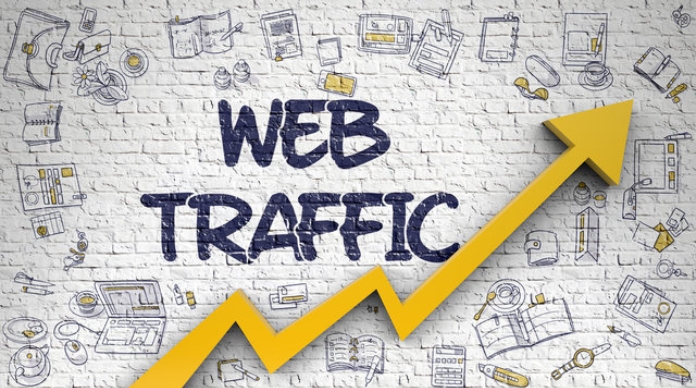
It is incredibly frustrating to watch subpar competitor websites dominate the top spots of Google while your platform sits virtually invisible. If you are actively struggling with how to increase traffic to your website in 2026, you are likely trapped in a common cycle: burning thousands on ghost-town blog posts or bleeding ad budgets into traffic that never converts.
The modern playing field has fundamentally changed. Empty clicks are useless; you need targeted, high-intent traffic that fills your pipeline.
This comprehensive playbook serves as your unfair advantage over the competition. We break down exactly how to decode your traffic sources, fix hidden technical performance leaks, scale organic reach through high-yield content marketing, and secure premium backlinks. Stop letting slower competitors steal your ideal buyers—let’s optimize your visibility and scale your digital footprint.
Understanding Website Traffic Sources
Knowing where your visitors come from helps you grow smarter. Here are the main types of traffic, explained simply:
Organic Search Traffic
- Visitors find you through search engines like Google or Bing.
- They type a query, see your link in the free (unpaid) results, and click it.
- This traffic is built on strong SEO and creating high-quality content.
Direct Traffic
- Someone reaches your site by typing the URL directly into their browser.
- Also includes clicks from bookmarks or links in non-web documents (like PDFs).
- This often signals brand recognition and a loyal audience.
Referral Traffic
- Users land on your site by clicking a link on a different website.
- Think of it as a digital word-of-mouth recommendation.
- Getting links from trusted sites boosts both traffic and your site’s authority.
Social Media Traffic
- Visits that come from social platforms like Instagram, LinkedIn, or Facebook.
- It’s driven by both your organic posts and engagement with your community.
- Success here hinges on shareable content and real interaction.
Email Traffic
- People arrive through links inside your email campaigns or newsletters.
- This is a highly targeted channel; visitors already know your brand.
- The key is crafting compelling subject lines and clear calls-to-action.
Paid Traffic
- Instant visits you pay for through ads on search engines or social media.
- Common models are PPC (Pay-Per-Click) and display ads.
- While fast, costs stop the moment you turn off the budget, unlike SEO.
AI Search & Answer Engine Traffic
- The newest source: visits from tools like ChatGPT, Perplexity, or Google’s AI Overviews.
- Instead of a list of links, users get an instant, conversational summary.
- Success requires clear, structured content that AI models can easily trust and cite.
Build a Strong SEO Foundation
Here’s a clear breakdown of building a strong SEO foundation, with key terms bolded for easy reading:
Conduct Comprehensive Keyword Research
- This is your SEO starting point—finding the exact words and phrases people use to search.
- Use tools like Google Keyword Planner or Ahrefs to discover what your audience wants.
- A good list balances popular terms with specific, niche topics relevant to your business.
Understand Search Intent
- This means knowing the “why” behind a search—not just the keyword itself.
- Is the user trying to learn something, find a specific site, compare options, or buy?
- Your content must directly solve their problem; if they want to buy, don’t just give them a guide.
Target Long-Tail Keywords
- These are longer, ultra-specific phrases (e.g., “best waterproof running shoes for women”).
- They have lower competition and signal someone is close to making a decision.
- Though search volume is lower individually, collectively they drive highly targeted, quality traffic.
Analyze Competitor Keywords
- You don’t need to guess—just find what already works for your direct online rivals.
- Use an SEO tool to see which pages and terms drive them the most traffic.
- Spot their content gaps—topics they haven’t covered well—and create something much better.
Create Topic Clusters
- Move from isolated posts to an organized network of linked content.
- Choose a broad topic as your “pillar page,” then link multiple in-depth sub-articles to it.
- This signals topical authority to Google and makes your site easier for users to navigate.
Create High-Quality Content That Attracts Visitors
Develop Pillar Pages
- Create a comprehensive, long-form page that broadly covers a core topic.
- This acts as the main hub for a subject you want to rank for.
- Focus on depth and authority, not just length.
Create Supporting Cluster Content
- Write shorter articles that target specific subtopics or questions.
- Each piece links back to your pillar page, and vice versa.
- This builds a topic cluster that search engines see as expert coverage.
Publish Evergreen Content
- Focus on topics with long-term relevance that won’t become outdated quickly.
- It steadily drives consistent organic traffic for months or years.
- Avoid tying it to short-lived trends or breaking news.
Create Problem-Solving Content
- Answer the exact questions your audience is typing into Google.
- Helpful guides and how-to tutorials naturally attract clicks and build trust.
- This positions your brand as the go-to solution for their pain points.
Use Data-Driven Content
- Back your points with original research, case studies, or statistics.
- People love to link to and share unique data they can’t find elsewhere.
- This instantly boosts your backlinks and credibility.
Update Old Content Regularly
- Refresh existing posts with new facts, images, and keywords.
- Search engines prefer fresh, up-to-date content in rankings.
- This is often faster than creating a brand-new post from scratch.
Optimize On-Page SEO
Here is the content for your “Optimize On-Page SEO” section, following the same bullet-point style with bold key terms:
Write SEO-Friendly Titles
- The title tag is the first thing users see in search results.
- Every page needs a unique, descriptive title that sparks curiosity.
- Place your main keyword naturally, ideally near the beginning.
- Keep it under 60 characters so it doesn’t get cut off in search results.
Optimize Meta Descriptions
- This is the short preview text below your title in search results.
- Think of it as a mini-advertisement; its job is to earn the click.
- Write compelling, active copy that solves a problem.
- Use your primary keyword once and stay within 155-160 characters.
Structure Content with H1-H6 Tags
- Use heading tags to create a logical content hierarchy.
- An H1 is your main headline; use one H1 per page only.
- H2s divide major sections, while H3s nest subtopics inside them.
- This helps both readers and search engines scan your page easily.
Optimize Images
- Large image files are a major speed killer; compress them first.
- Write descriptive file names (not “IMG_001.jpg”) for context.
- Always fill in the alt text to describe the image for visually impaired users.
- This helps search engines understand your visuals and boosts accessibility.
Add Schema Markup
- This is code language you add to help search engines understand your data.
- It powers rich results, like star ratings, FAQs, or recipe details in search listings.
- Using it makes your page stand out visually and improves click-through rates.
- It tells Google exactly what your content means, not just what it says.
Improve Internal Linking
- This means linking from one page on your site to another.
- It guides visitors to more useful information and keeps them on your site longer.
- Use descriptive anchor text (not “click here”) for the link.
- Strategic internal links become much more effective when they are planned during your content strategy instead of being added randomly after publishing.
Improve Technical SEO Performance
Here is a clear breakdown of how to improve technical SEO, with key actions bolded for easy reading:
Improve Core Web Vitals
- These are Google’s user experience metrics that measure loading, interactivity, and visual stability.
- Focus on making your page responsive to clicks quickly and preventing elements from shifting unexpectedly.
- A good score here directly helps your search rankings.
Increase Website Speed
- A slow site kills trust and conversions; every second of delay increases bounce rate.
- Compress large images and use a Content Delivery Network (CDN) to serve files faster.
- Minimize heavy code and leverage browser caching so repeat visitors load pages instantly.
Mobile Optimization
- Google uses mobile-first indexing, meaning it judges your site by its mobile version.
- Use a responsive design that adapts layouts seamlessly to any screen size.
- Make sure buttons are easy to tap and fonts are readable without zooming.
Fix Crawl Errors
- Crawl errors stop search engines from reading your pages, making them invisible in results.
- Regularly check Google Search Console to find and redirect broken (404) links.
- Ensure your server isn’t blocking search engine bots with accidental errors.
Create XML Sitemap
- This is a blueprint of your site written specifically for search engine bots.
- It lists all your important pages, helping Google discover new or deep content instantly.
- XML sitemaps are usually reviewed during a complete technical SEO audit to ensure every important page can be discovered.
Optimize Robots.txt
- This tiny file acts as a traffic controller, guiding bots away from pointless pages.
- Use it to block private folders like shopping carts or admin logins from search results.
- Be extremely careful; a wrong command here can accidentally block your entire site.
Implement HTTPS
- This encrypts the connection between a user and your server, shown as the padlock icon.
- It’s a lightweight ranking signal and builds essential visitor confidence.
- Browsers actively mark sites without HTTPS as “Not Secure,” scaring users away.
Increase Organic Traffic with Content Marketing
Here’s a breakdown of how content marketing fuels organic traffic, with key terms highlighted for emphasis:
Create Content for Every Funnel Stage
- Write for the entire customer journey, not just one moment.
- Attract newcomers with simple “what is” blog posts (Top of Funnel).
- Convert researchers with in-depth guides proving your solution (Middle of Funnel).
- Win buyers with specific case studies and testimonials (Bottom of Funnel).
Publish Expert Guides
- Craft the single best resource on a topic—a true definitive guide.
- Go deep, leaving no question unanswered; this builds topical authority.
- Search engines reward this with higher organic rankings for a broad set of keywords.
Create Case Studies
- Turn customer wins into a powerful persuasion tool.
- Move beyond theory by showing real-world results with hard numbers.
- These rank for high-intent, bottom-of-funnel searches where buyers are ready to choose.
Develop Comparison Articles
- Directly address buyer confusion with honest “Tool A vs. Tool B” breakdowns.
- Capture traffic from people searching for alternatives or competitors.
- This is highly valuable, zero-distance content that meets a clear customer need.
Use Content Repurposing
- Get more organic reach from work you’ve already done.
- Systematically turn a popular blog post into a YouTube video, infographic, and LinkedIn carousel.
- This multiplies your chances to rank in universal search results (videos, images) for the same keyword.
Build High-Quality Backlinks
Here is the content in simple bullet points, with key terms bolded for emphasis, staying within the word limit:
Guest Posting
- Guest posting works best when it’s part of a larger off-page SEO strategy focused on earning authoritative backlinks.
- In return, you get a link back to your site inside the content or author bio.
- The key is pitching unique, valuable topics they haven’t covered yet.
Digital PR
- Get news sites and online magazines to link to you by sharing newsworthy data.
- This works by creating original research, surveys, or studies that journalists crave.
- Think like a reporter: give them exclusive stats and expert commentary.
Resource Page Link Building
- Find pages that exist purely to list helpful links about a specific topic.
- Reach out and suggest your best guide or tool as an addition to their list.
- Your resource must be a perfect fit and genuinely better than what’s already there.
Broken Link Building
- Find dead links (404 errors) on relevant websites in your niche.
- Politely inform the site owner, and suggest your live, working link as a replacement.
- You’re offering free website maintenance help, making people more willing to link.
HARO & Journalist Outreach
- Services like HARO (Help a Reporter Out) connect you with journalists needing expert quotes.
- You provide a fast, brilliant response; they include it in their story with a link to your site.
- This builds high-authority links on major news outlets quickly.
Competitor Backlink Analysis
- Use SEO tools to see who is linking to your rivals but not to you.
- Look for patterns—are they doing guest posts, getting reviewed, or featured in roundups?
- Target those exact same opportunities to close the authority gap and steal their spot.
Use Social Media to Drive Website Traffic
Social platforms aren’t just for likes—they’re powerful traffic drivers when used strategically. The goal is to spark curiosity and get users to click through to your site.
Facebook Marketing
- Share blog posts and videos in niche groups and on your business Page.
- Use Facebook Live to tease content and drop links in comments.
- Post when your audience is most active to maximize reach.
Instagram Marketing
- Use the link in bio cleverly—update it often to match your latest post.
- Drive traffic via Stories swipe-up links (if eligible) or the Link sticker.
- Create visually arresting graphics and Reels that leave followers wanting more info on your site.
LinkedIn Marketing
- Publish native articles and include a call-to-action linking to your website.
- Engage in industry conversations and share insights that lead back to detailed resources.
- Your personal profile often beats company pages for reach and trust.
Pinterest Marketing
- Treat it like a visual search engine—design tall, keyword-rich Pins.
- Create Pin boards around core site topics, with each Pin linking directly to your content.
- Consistency is key; fresh Pins can bring traffic for months or even years.
YouTube Marketing
- Create how-to videos and tutorials that solve problems, then link to your site in the description.
- Use end screens and cards to direct viewers to your related blog post or landing page.
- Optimize video titles for search intent to rank on both YouTube and Google.
Social Sharing Strategies
- Make sharing effortless with click-to-tweet links and prominent social buttons.
- Encourage employees and fans to share with a simple ask, not a demand.
- Share bite-sized previews of your content that end with a cliffhanger—only the full article tells the whole story.
Optimize User Experience (UX)
Make your site intuitive, fast, and enjoyable so visitors stay and convert.
Reduce Bounce Rate
- A bounce means a visitor leaves after seeing only one page.
- Match your content to the search intent that brought them there.
- Use clear headlines, engaging visuals, and a strong call-to-action right away.
- Avoid intrusive pop-ups; offer a smooth, welcoming first impression.
Improve Navigation
- Build a logical menu structure so users find what they need in seconds.
- Add a search bar and use descriptive labels—no clever jargon.
- Use breadcrumb trails so users always know where they are on your site.
Increase Dwell Time
- Dwell time is how long a visitor stays engaged with your page.
- Embed videos, infographics, and interactive tools to hold attention.
- Link to related articles within your content to encourage deeper reading.
- Write in a conversational tone that pulls the reader along.
Improve Readability
- Break text into short paragraphs (2–3 sentences max) with plenty of white space.
- Use subheadings, bullet points, and bold text to make content scannable.
- Choose a legible font size (at least 16px) and high contrast between text and background.
Enhance Mobile UX
- Use a responsive design that adapts perfectly to any screen size.
- Make buttons and links thumb-friendly—easy to tap without zooming.
- Speed is critical; compress images and minimize code to load under 3 seconds.
- Test on real devices to ensure flawless touch interactions and a fast checkout.
Implement Local SEO Strategies
Local SEO makes your business visible when nearby customers search online, driving foot traffic and local leads.
Optimize Google Business Profile
- Your Google Business Profile is the heart of local search—claim and verify it.
- Ensure your NAP (Name, Address, Phone) is accurate and matches everywhere.
- Choose the most relevant primary category and add high-quality photos regularly.
- Use Posts and answer Q&A to show you’re active and helpful.
Local Citations
- A citation is any online mention of your NAP on directories, apps, or social sites.
- Keep your information 100% consistent across Yelp, Yellow Pages, Facebook, and maps.
- Inconsistent details confuse search engines and hurt your local ranking trust.
- Submit to top-tier directories and industry-specific lists for maximum exposure.
Local Keyword Optimization
- Weave location-based phrases like “dentist in Austin” or “near me” into your content.
- Put the city + service in title tags, headings, and page URLs naturally.
- Create separate city landing pages if you serve multiple areas, with unique content.
- Focus on search intent—people looking nearby are ready to buy or visit.
Customer Reviews Management
- Google Reviews heavily influence your local rank and buyer decisions.
- Politely ask happy customers to leave a review right after a positive experience.
- Reply to every review—thank happy clients and professionally resolve complaints.
- A steady stream of fresh, genuine star ratings builds powerful social proof.
Use Paid Advertising for Immediate Traffic
Unlike SEO, paid ads deliver instant visibility and visitors the moment your campaign goes live. You control the budget, targeting, and message to reach your ideal customer fast.
Google Ads
- Appear at the top of search results for specific keywords that people are actively searching.
- You bid on terms and pay only when someone clicks (Pay-Per-Click or PPC).
- Perfect for capturing high-intent traffic—users ready to buy or sign up.
Facebook Ads
- Target people based on demographics, interests, and behaviors, not just search queries.
- Use eye-catching images or videos in the newsfeed to stop the scroll.
- Great for building brand awareness and promoting offers to a warm audience.
Retargeting Campaigns
- Show ads exclusively to people who already visited your site but didn’t convert.
- Reminds them of your product with a gentle nudge, increasing conversion rates dramatically.
- Works across Google, Facebook, and other platforms using a simple tracking pixel.
Display Advertising
- Visual banner ads that appear on millions of websites, apps, and YouTube.
- Excellent for brand visibility and reaching people at the top of the funnel.
- Use compelling graphics and a clear call-to-action to stand out, not just plain text.
- Often combined with targeting options like topics, placements, or audience lists.
Monitor and Analyze Website Traffic
Turn raw data into actionable insights to grow your site smarter and faster.
Google Analytics 4 (GA4)
- The latest tool that tracks events (clicks, scrolls, downloads) instead of just pageviews.
- Watch real-time data and use predictive metrics to spot your future best customers.
- Build custom reports so you see only the metrics that truly matter to your business.
Google Search Console
- A free tool revealing how Google views your site; fix indexing errors and submit sitemaps.
- See exactly which search queries bring clicks and monitor your average position.
- Get instant alerts for mobile usability issues and manual penalties.
Track Keyword Rankings
- Monitor your target keyword positions over time to measure SEO progress.
- Use rank trackers to spy on competitor movements and grab quick-win opportunities.
- Don’t obsess over a single rank; focus on positive ranking trends and overall organic growth.
Common Mistakes That Limit Website Traffic
Avoid these frequent errors to stop accidentally blocking your own growth.
Ignoring Search Intent
- Search intent is the “why” behind a query—informational, commercial, or transactional.
- Writing a guide when users want to buy now leads to frustrated visitors and a high bounce rate.
- Always match your content type to the user’s real goal.
Poor Technical SEO
- Issues like slow page speed, missing SSL, or broken sitemaps stop search engines from crawling you.
- A site that isn’t mobile-friendly or has dead links simply won’t rank.
- Run regular audits to fix indexing and crawling errors fast.
Thin Content
- Short, shallow pages with no real value signal low expertise to search engines.
- Create comprehensive, original content that fully answers the question.
- Merge multiple thin pages on one topic into a single authoritative resource.
Keyword Stuffing
- Forcing a keyword into every sentence reads like spam and ruins the user experience.
- Modern search engines use natural language processing and penalize unnatural repetition.
- Write for humans first; use synonyms and related terms naturally.
Weak Internal Linking
- Internal links are pathways that guide users and distribute authority across your site.
- Orphan pages with no links are practically invisible to crawlers.
- Link strategically from high-authority pages using descriptive anchor text.
Not Updating Content
- Old stats, broken links, and stale advice make your site feel abandoned and untrustworthy.
- A regular refresh signals freshness, a known ranking advantage.
- Add new data, cut irrelevant parts, and re-publish with a current date.
Final Thoughts
While competitors spend thousands chasing immediate traffic spikes with thin content, winning the long game requires a unified strategy. Fragmented tactics are exactly why your growth stalls. By systematically pairing a rock-solid technical SEO foundation with high-intent content marketing and continuous UX optimization, you eliminate the common execution mistakes that choke visibility. Stop running outdated plays. Execute this holistic roadmap today to outpace rival brands, captivate high-value visitors, and predictably scale your pipeline revenue.
FAQs
How can I increase website traffic fast?
Run paid ads, send email blasts, and post on social media to tap existing audiences. Team these quick wins with SEO work for lasting growth.
How long does SEO take to increase traffic?
Expect noticeable results in 4 to 6 months, but significant growth often needs a year. Ranking speed hinges on competition, content quality, and site authority—patience wins.
What is the best source of website traffic?
Organic search is the most sustainable, high-intent source because users actively seek your content. Still, the ideal mix depends on your goals and audience.
How do I get free website traffic?
Invest in SEO, share content on social platforms, build an email list, and leverage Pinterest or YouTube. Consistent, valuable content earns no-cost visits over time.
How many visitors should a website get per month?
No universal benchmark; a new blog might see 1,000 while a store hits 50,000+. Focus on conversion rates and engaged visitors, not just a raw traffic number.
Does AI affect website traffic?
Yes, AI-powered search tools answer queries directly, potentially reducing clicks. Yet being cited as a source can also drive valuable, targeted referral traffic.

Tarun Singh is an SEO & Digital Growth Strategist with 5+ years of experience driving organic traffic, search visibility, and revenue growth for eCommerce, SaaS, and enterprise brands. His expertise includes technical SEO, AI-driven marketing, keyword strategy, content optimization, and scalable growth campaigns focused on improving rankings, authority, and business performance.