

- September 8, 2025
Technical SEO errors can silently ruin your ranking performance even if you have top-notch content. One minor error like crawling and indexing, broken links, or any other such problem will make sure that your essential pages don’t get indexed and ranked by search engines. Most website owners worry only about good content and backlinks.
In my experiences as an auditor on websites, I have found that website traffic can drop due to minor issues like blocked pages, duplicate content, and slow loading times. This is usually noticed when rankings begin dropping.
> If search engines cannot properly crawl, render, and index your website, your content has little chance of reaching its full ranking potential.
> This technical SEO checklist covers the essential audits and fixes needed to improve crawlability, indexing, page experience, and overall improve search visibility.
> Let’s dive into the complete checklist.
Table of Contents
What Is Technical SEO (and Why It Matters in 2026)
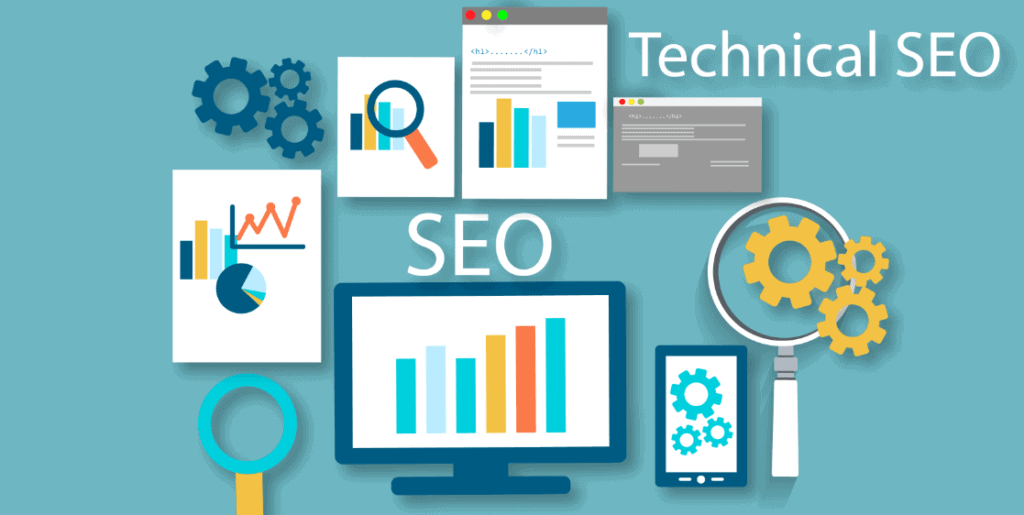
Technical SEO is an approach where you optimize the structure of your website in such a way that search engines or even AI can find, interpret, and index your website’s content successfully. Technical SEO functions like the foundation of your digital marketing strategy as, without search engine crawlers being able to discover your website, nothing will work.
For optimal results in 2026, maintaining a technical seo checklist becomes important:
- Eery Second Counts: Delay in loading speeds for one second results in 7% drop in conversions.
- SEO Benefits: Sites that clear all the thresholds of core web vitals experience a drop in bounce rates by 24%.
- SEO Signals: Zero click searches are increasing to 58.5% and structured data is essential in getting featured in search answers generated by AI crawlers.
The technical SEO checklist will help you publish into fertile soil, ensuring that your site not only gets indexed but remains safe and fast.
Technical SEO Checklist: A Step-by-Step Website Audit
1: Crawlability & Indexation
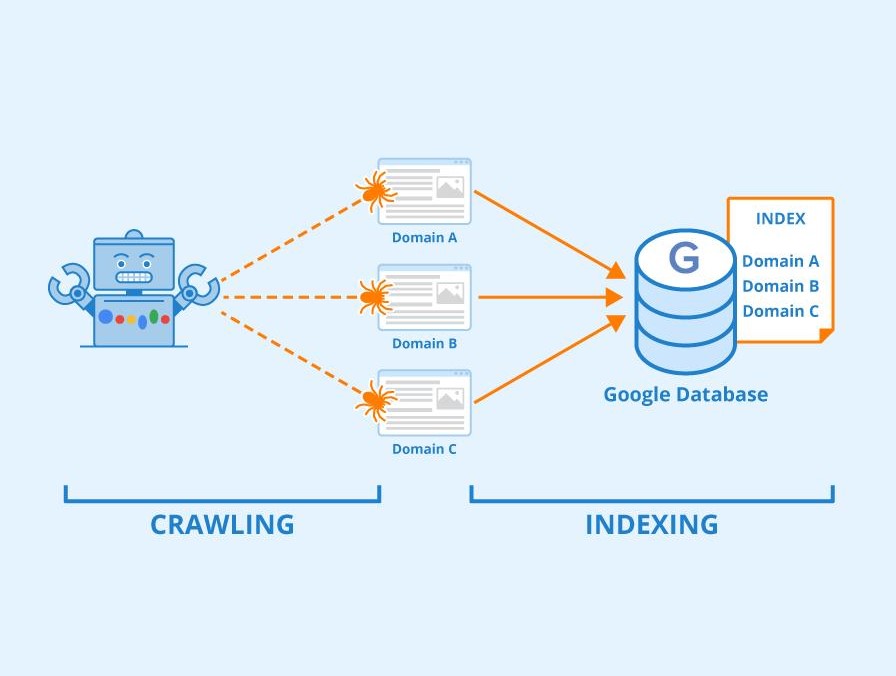
The first step before ranking is the search engine’s ability to access and index your website. Without it, you would not have any other chance at SEO success.
- Crawlability: The ability of a search bot to crawl through your website and understand its structure. Having an optimal layout prevents any navigation problems.
- Indexation: The indexing of pages by search engines that occur after analyzing them. Non-indexed pages won’t ever show up in search engine results.
- Robots.txt: The website’s “gatekeeper.” Search bots know exactly which pages they can analyze thanks to the robots.txt file.
- XML sitemap: Like a map of the website, guiding bots to all relevant pages on the site.
- Addressing Obstacles: Resolving link errors (404 pages) and deleting “noindex” commands so bots can navigate through your site freely.
2. Site Architecture & Navigation
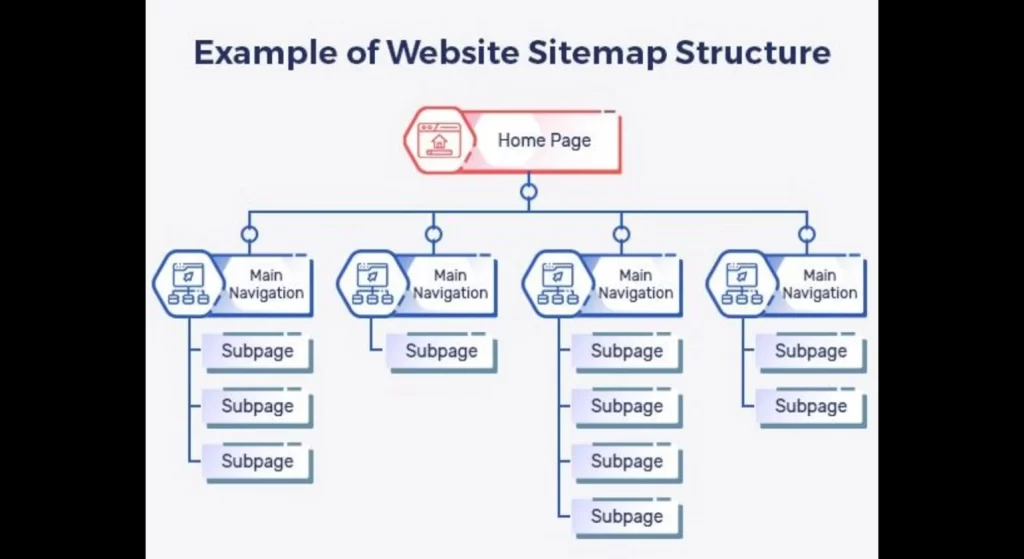
These are two crucial parts of any website’s structure. How your content will be arranged and organized depends directly on them. Also, proper design in these fields is key to both good user experience (UX) and Search Engine Optimization (SEO).
- Logical Structure: Your website should have a hierarchical structure like a library – from broad categories to very narrow sub-topics. It’ll help users orient themselves in your content.
- Three-Click Rule: Your users should be able to get to any page of your site within three clicks starting from the homepage. If they need to click more, they’ll just give up.
- Use Descriptive Labels: Your navigation menu should have self-explanatory labels such as “Services”, “About Us”, or “Contact”. Try to avoid using anything too fancy because you want to give users some hints about where they go.
- Navigation: You need to always ensure that your navigation menu is fixed to either the header or side panel of your page. It will be easier for the reader to navigate through your website.
- Breadcrumb Trains: Secondary navigation links such as Home > Blogs > Topic will be very helpful, especially if you have an extensive collection of pages.
3. Core Web Vitals & Page Speed
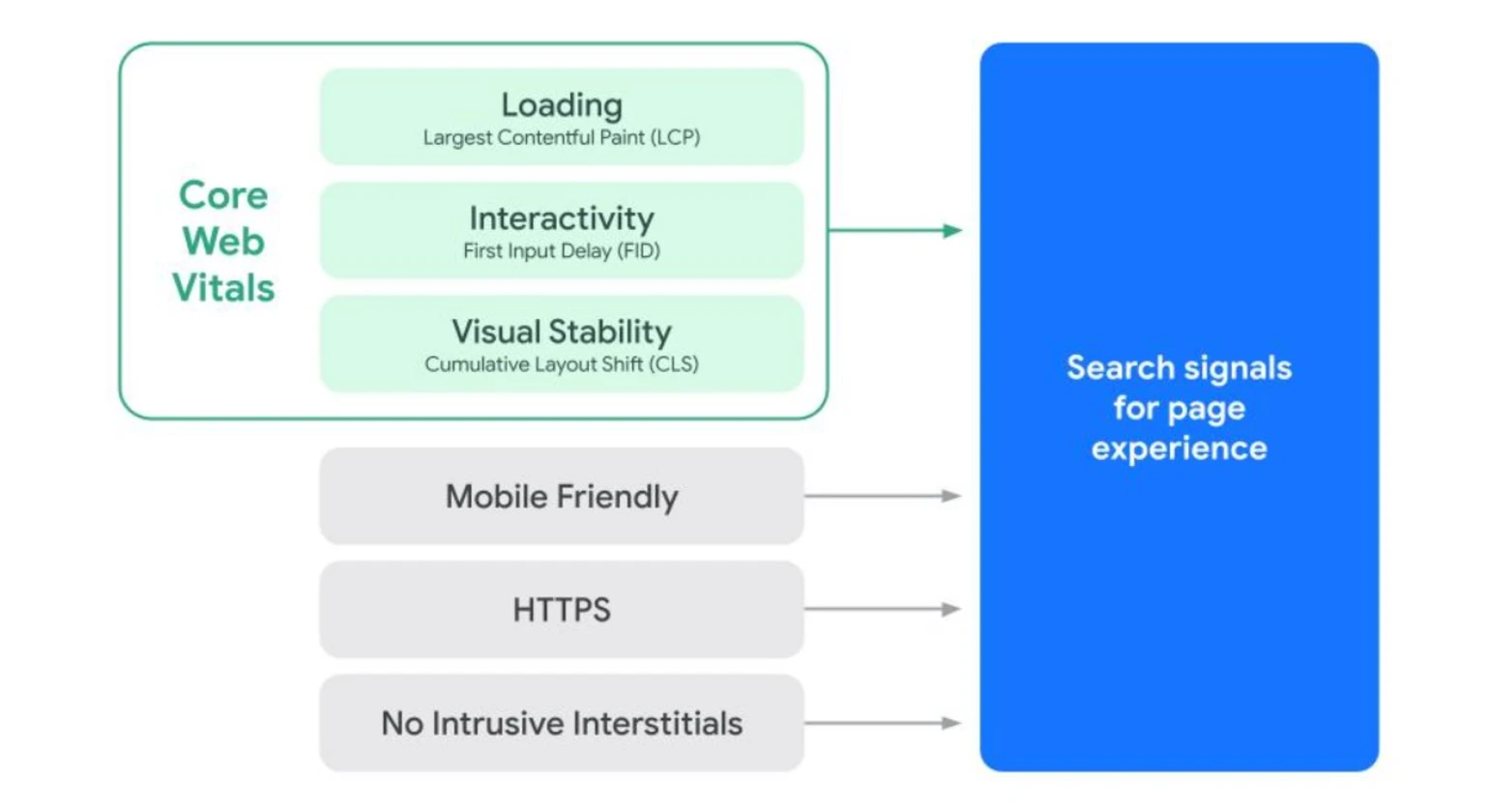
Nobody wants to wait for a site that loads slowly. As such, Google considers some specific metrics related to site speed and user experience called Core Web Vitals. Bounce rate increases dramatically if the page loading process is slow and causes jumps.
- Loading Speed (LCP): The loading speed is the time it takes for the largest content on the site to appear. For instance, it is the image of the banner or main header. It should not be more than 2.5 seconds.
- Responsiveness (INP): The metric shows how promptly your site reacts to actions. In case the reaction time is longer than average after tapping a button or touching the menu, it is considered low responsiveness and will irritate users.
- Visual Stability (CLS): Do you remember when you have been trying to click the button but the page shifted its location because of a jump or something else. It must be solved.
- Shrinking Huge Photos: Large images are the reason why sites work slow. The solution is simple: compress and convert them to WebP format.
- Cleaning Up Messy Code: A heavy code significantly slows down website loading time. Thus, it must be optimized and caching enabled.
4. Mobile Optimization & UX
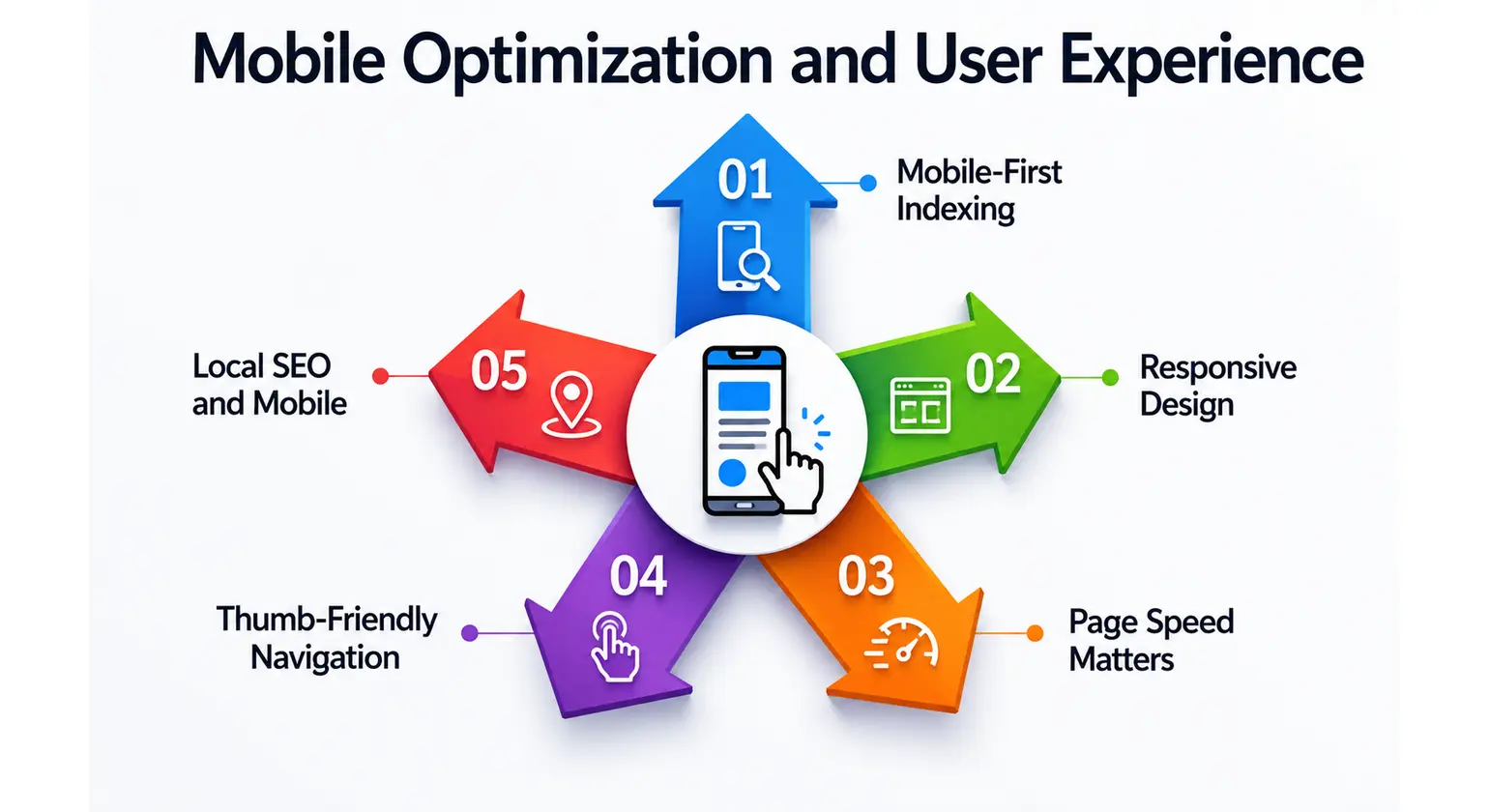
As all people are currently surfing via their smart phones and tablets, making a site mobile-friendly is important. Search engines prefer websites that provide an ideal mobile experience. Some recommendations will help your site perform well.
- Use Responsive Web Design: Website layout should be responsive so that it changes depending on a device used to surf: smartphone, tablet or computer.
- Use Fast Loading: Websites taking more than 3 seconds to load will not be promoted by search engines and may disappoint visitors. It is advised to compress images, use less code and turn on browser cache.
- Optimize for touch: Links and buttons on the site should be finger-friendly and not close to each other, so users do not tap one thing unintentionally.
- Legible Text: Small fonts are completely unnecessary since visitors find it impossible to read any text on a small mobile device.
- Simplify Navigation: A menu should not occupy too much space on a mobile site; that is why you can consider using hamburger menu.
- Avoid Pop-ups: It is best to avoid full-page pop-up advertisements as users don’t like when their page is covered with ads.
5. Content-Specific Technical Issues
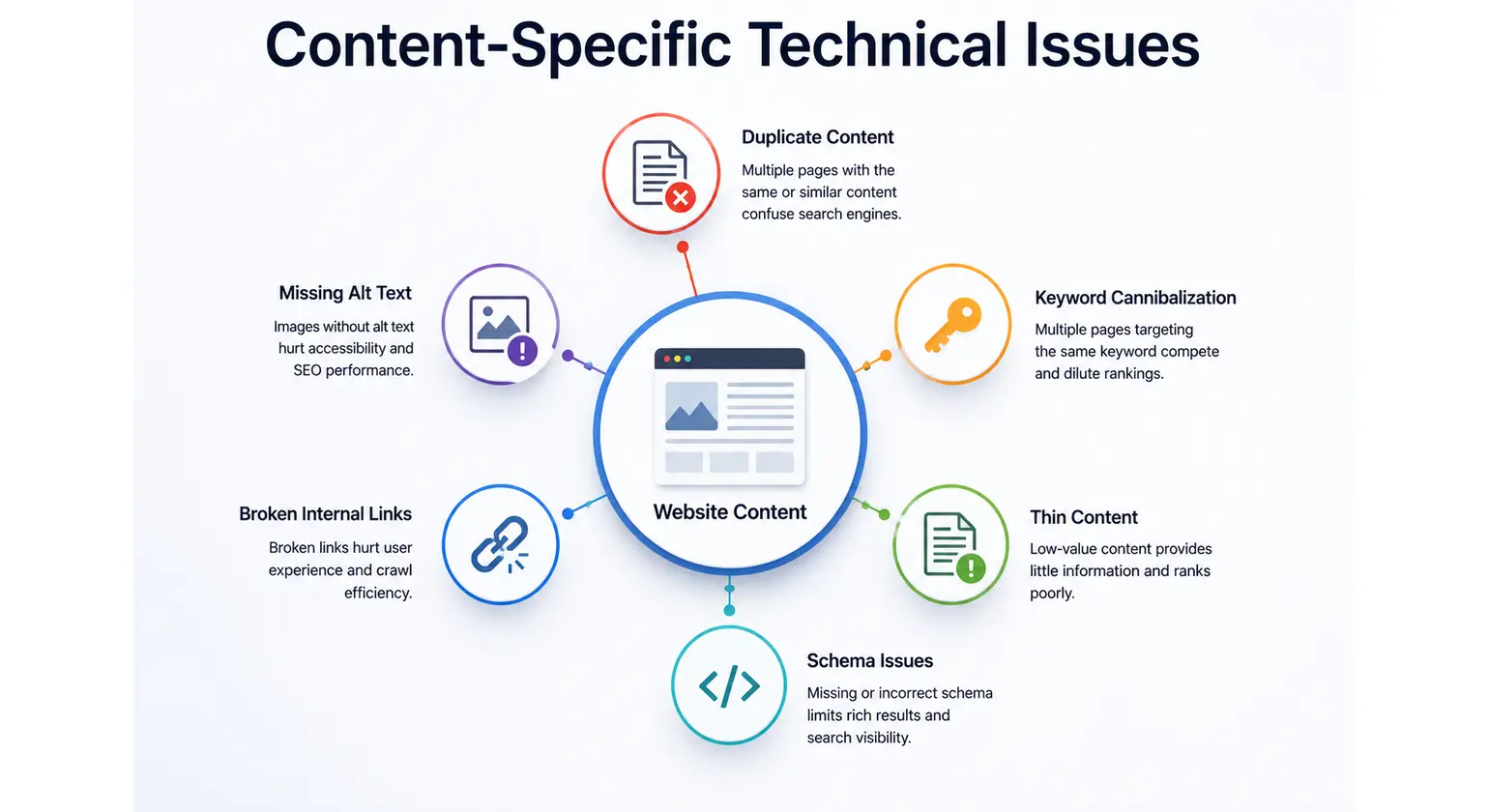
To optimize your website’s technical content, focus on these key areas to improve user experience and search engine rankings:
- Avoid Duplicate Content: Make sure that each page has valuable content that is unique. Utilize 301 redirect for outdated pages in order to redirect traffic to the right page.
- Canonical URLs: Apply the rel=”canonical” tag in order to let the search engine know that there is one master copy of each page, not several copies with identical content.
- Thin Content: Analyze the pages that have very little amount of text. You need either to enrich them with more useful and relevant information or delete them.
- Metadata Optimization: Compose Meta Titles and Descriptions. Remember to use primary keywords in those without making them unnatural.
- Heading Tag Strategy (H1-H6): Organize your headings using the hierarchical structure. The page should have only one main heading (H1). Use other headings for organizing the content.
- Pagination Optimization: Correctly apply rel=”next” and rel=”prev” tags. Otherwise, make sure that each page can be easily crawled by the search engine.
6. Advanced Technical SEO
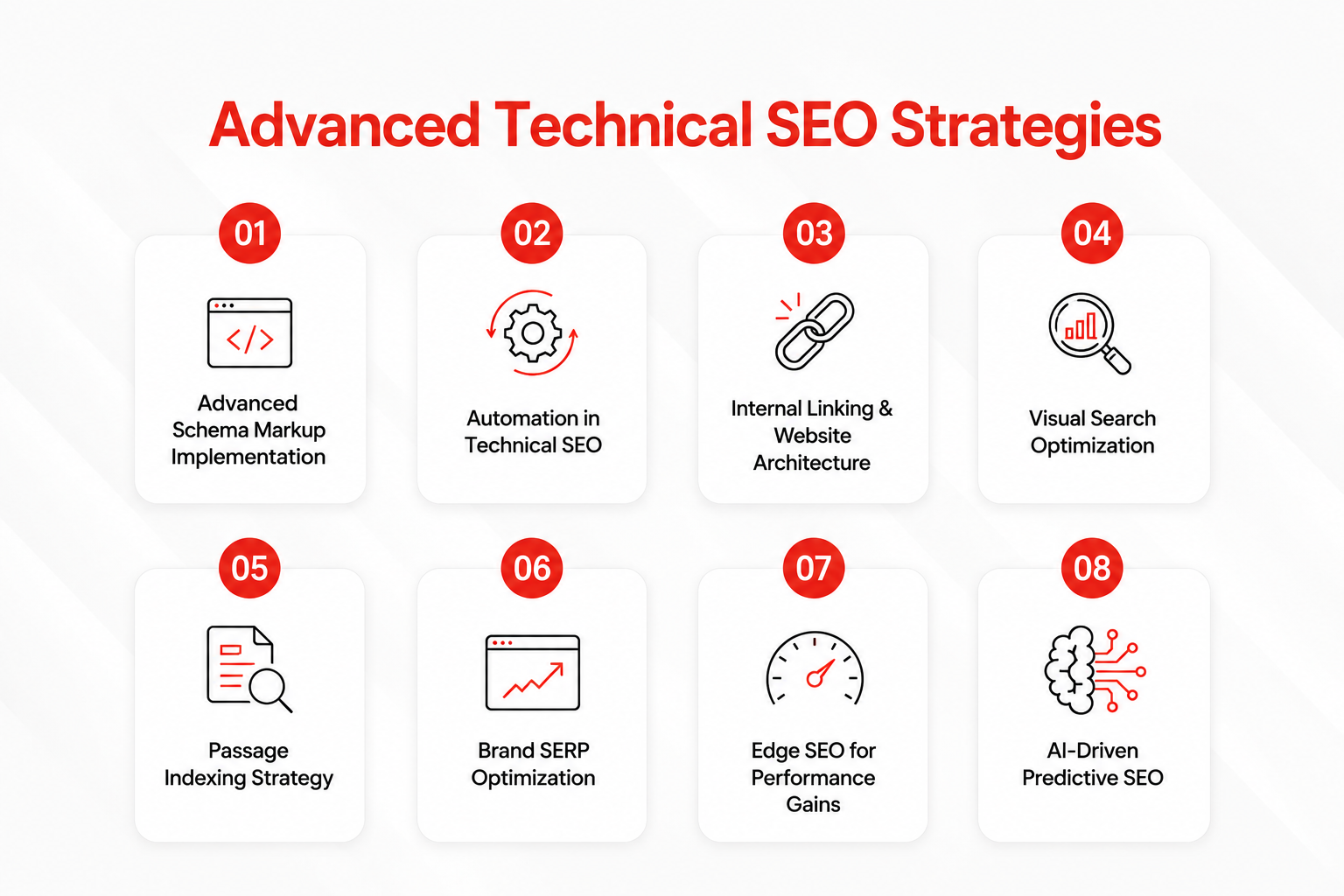
As opposed to basic SEO, Advanced Technical SEO is aimed at fine-tuning your website so that it can be easily accessed and crawled by search engine bots. In order to get maximum benefit from Advanced Technical SEO, technical limitations preventing your website content from achieving top ratings should be removed.
- JavaScript Rendering: Making sure the dynamic elements created via JavaScript are correctly executed and indexed by search engines.
- Core Web Vitals: Optimization of the page according to Google performance criteria (LCP, FID/INP, and CLS).
- Schema Markup: Use of structured data to give search engines additional information about the content of your webpage and make your web pages eligible for Rich Snippets.
- Canonicalization & Hreflang: Handling complex websites (including duplicate content problems and multilingual/multiregional websites).
- Log File Analysis: Analysing your server logs to see how bots interact with your web pages, and therefore avoid wasting your “crawl budget.”
- Advanced Redirects & Status Codes: Proper use of 301, 302, and 404 status codes.
7. Monitoring and Maintenance
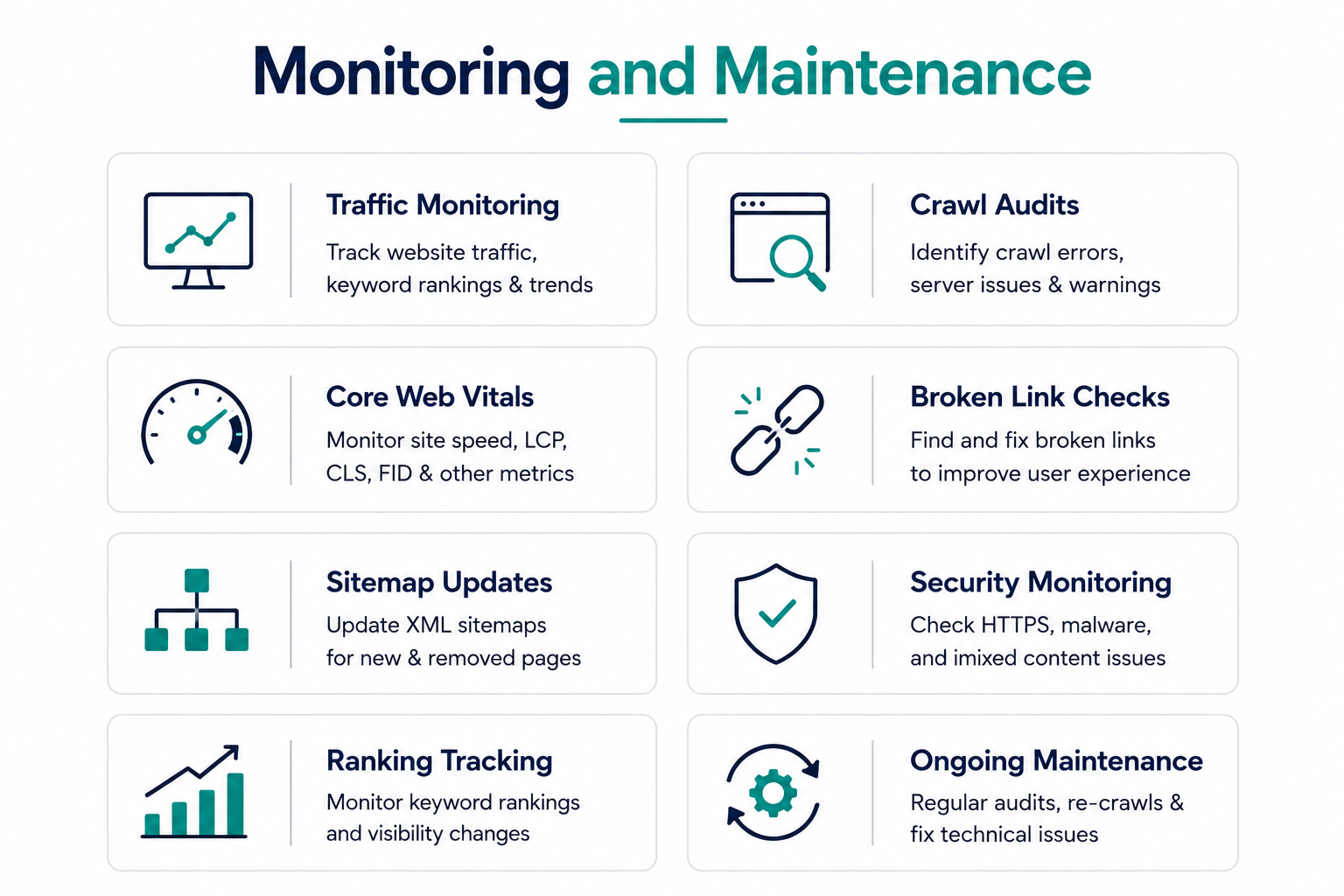
It is important to monitor and maintain your system regularly. In doing so, you can avoid unforeseen failures as well as maintain maximum performance.
- Monitoring Performance: Monitor the logs of your system in order to see if there are any bottlenecks, high latency levels or any other anomalies within the system.
- Security Audits: Ensure the safety of your system by applying all software patches and updates immediately. Do security audits regularly in order to make sure that you are up-to-date regarding the latest threats.
- Automation: It is best to do backups of your data frequently and automatically. To be certain that your backups work properly, always conduct restore tests.
- Resource Management: Keep track of the disk usage and memory capacity of your system, and CPU loads. Make sure that you scale your resources in order to be ready in case the demand exceeds what is expected.
- Documenting: Have detailed notes about any changes made and performed tasks when maintaining your system. This paper trail will come in handy when needed.
Final thought
A technical SEO checklist helps ensure your website is easy for search engines to crawl, index, and understand. By regularly auditing key areas such as crawlability, site speed, mobile usability, and structured data, you can improve website performance, enhance user experience, and create a stronger foundation for long-term organic growth.
FAQs
1. What is a technical SEO checklist?
A technical SEO checklist is a step-by-step guide used to identify and fix issues that affect a website’s crawlability, indexability, performance, and overall search engine visibility.
2. What should be included in a technical SEO checklist?
A technical SEO checklist should cover XML sitemaps, robots.txt, indexing status, site speed, Core Web Vitals, mobile-friendliness, HTTPS, structured data, canonical tags, redirects, and broken links.
3. How often should I perform a technical SEO audit?
It’s recommended to perform a technical SEO audit every 3–6 months. Large websites, eCommerce stores, and frequently updated sites may benefit from monthly audits.
4. What are the most important technical SEO factors?
The most important technical SEO factors include crawlability, indexability, page speed, Core Web Vitals, mobile optimization, HTTPS security, structured data, and a strong internal linking structure.
5. Which tools can I use to complete a technical SEO checklist?
Popular technical SEO tools include Google Search Console, Google PageSpeed Insights, Screaming Frog SEO Spider, and Sitebulb for identifying and fixing technical SEO issues.

Tarun Singh is an SEO & Digital Growth Strategist with 5+ years of experience driving organic traffic, search visibility, and revenue growth for eCommerce, SaaS, and enterprise brands. His expertise includes technical SEO, AI-driven marketing, keyword strategy, content optimization, and scalable growth campaigns focused on improving rankings, authority, and business performance.