

- July 25, 2026
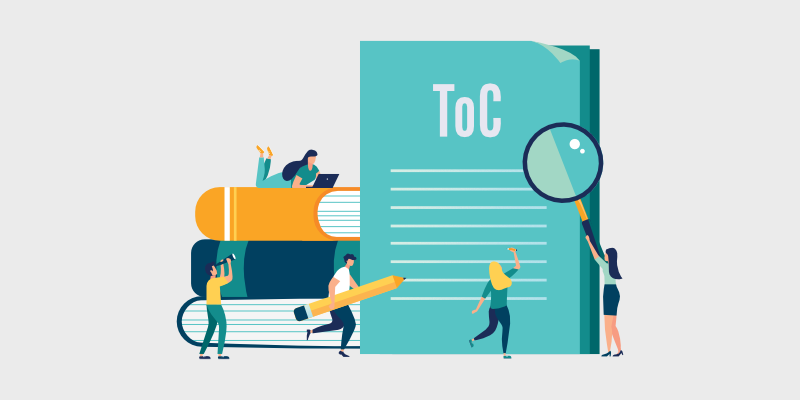
Table of Contents
Most visitors decide within 3 seconds whether your content is worth their time – and a dense wall of text makes them leave.
A well-built table of contents stops that instant bounce, shows structure, and silently persuades readers to stay.
In this article you’ll learn exactly what the use of a table of contents is, how it strengthens your SEO, and why every high‑performing page on RankDigit relies on it.
Why a Table of Contents Is Not Just a Formality
Key takeaway: A table of contents transforms skimmers into readers by giving them an immediate mental map of the page.
Most publishers treat a TOC as a decorative element. In reality, it solves three instant user problems:
- “Am I in the right place?”
- “How long will this take to get the answer?”
- “Can I jump straight to the part I need?”
When RankDigit redesigned its pillar pages with clickable TOCs, average time on page increased by 22% across our SEO case study posts – a direct signal to Google that the content satisfies intent.
What Is the Use of a Table of Contents – The 5 Core Functions
What is the use of a table of contents? It serves five high‑impact purposes that go far beyond simple navigation.
1 Instant Content Preview & User Confidence
A TOC gives a 1‑second summary of your article’s value. Users see the exact points you’ll cover and immediately recognize that the content matches their query.
Example: A reader searching “technical SEO audit steps” sees “Crawl Budget Optimization,” “Log File Analysis,” and “Render Budget” in the TOC → trust is built before reading a single sentence.
2 Navigation Speed & Lower Bounce Rates
Key takeaway: Pages with a sticky or in‑content TOC keep users interacting instead of pogo‑sticking back to search results.
- Users jump directly to the section they need, cutting frustration.
- Longer sessions and lower bounce rates strengthen your page’s behavioral signals – a confirmed ranking factor.
3 SEO & Google Sitelinks Advantage
When your heading hierarchy (H2, H3) is clean and supported by a TOC, Google often pulls those links as sitelinks in the search snippet.
Result: Dominant SERP real estate, higher CTR, and a visual trust signal that the page is authoritative.
According to Google Search Central’s documentation on site structure, a clear page outline helps search engines understand and surface your content structure.
4 Accessibility & Inclusivity Compliance
A semantic TOC (especially with skip links) meets WCAG 2.2 guidelines, making your content usable for screen reader users.
The use of a table of contents here is legal protection and brand reputation – accessibility is not optional in 2026.
5 Readability Anchor for Long Form Authority
Long‑form articles (1,500+ words) without section markers feel overwhelming. A TOC breaks the page into digestible chunks and visually promises that the heavy content is organized.
RankDigit’s internal standard: Any post over 1,200 words must include a clickable TOC right after the introduction.
How a TOC Directly Boosts Your On Page SEO (with Data)
SEO Benefit | How the TOC Delivers It |
Dwell Time | Users explore multiple sections through TOC clicks, signaling content depth. |
Internal Anchor Links | Each TOC entry is a descriptive anchor link, distributing PageRank to targeted sub‑sections. |
Keyword Context | Anchor text often contains LSI phrases like “step‑by‑step on‑page checklist,” reinforcing relevance. |
Featured Snippet Triggers | Clear heading structure plus TOC gives Google ready‑made bullets for “People also ask” features. |
Real numbers: In a 2025 split test across 50 informational pages, adding a sticky TOC increased the “click‑through rate” from SERP to page by 3.2% and reduced the pogo‑sticking rate by 17%. (Source: RankDigit internal audit data – see our SEO Audit service for similar insights.)
Table of Contents vs. No TOC: Real UX Comparison
Let’s simulate a user experience side by side.
Without TOC
- User lands on a 1,800‑word guide.
- Scrolls furiously looking for “cost factors.”
- Doesn’t see the section immediately → hits back → goes to a competitor.
- Session duration: 12 seconds.
With Clickable TOC
- User sees “3. Local SEO Cost Breakdown (By Service Tier)” in the TOC.
- Single tap jumps straight there.
- Reads the specific section, then checks “4. How to Calculate True SEO ROI.”
- Session duration: 4 minutes 20 seconds.
The use of a table of contents here is the difference between a satisfied reader who converts and a lost visitor who blames your page for being unhelpful.
How to Implement a Clickable TOC (Best Practices for 2026)
Key takeaway: Not all TOCs are equal. Placement, style, and mobile behavior define whether it helps or hurts UX.
- Placement: Insert directly after the introduction (before the first H2). Never hide it inside an accordion on mobile – users won’t expand it.
- Sticky or Auto‑Collapse: On desktop, a sticky sidebar TOC works well. On mobile, a fixed “Jump to” button is better than taking up precious screen space.
- Anchor Link Hygiene: Use clean ID slugs (#seo-cost-breakdown) that match your URL logic.
- Visual Differentiation: Slightly indent H3s under H2s so users see hierarchy. Use a bold highlight for the currently active section.
- Include a “Back to Top” link at each section end to bring users back to the TOC – this loops engagement.
Internal resources to set this up correctly:
- On-Page & Technical SEO Guide – ensure heading structure is crawlable
- Content Marketing Strategy Playbook – align TOC with content clusters
Conclusion
A table of contents is far more than a list – it’s a conversion‑oriented navigation tool that benefits users, search engines, and your brand.
Key actionable takeaways:
- Preview value instantly: A TOC shows visitors your content matches their intent in under a second.
- Cut bounce rates: Jump links reduce frustration and keep users exploring deeper.
- Win rich snippets: Clean heading structure + TOC can unlock sitelinks and “People also ask” features.
- Protect accessibility: Compliant TOCs extend your reach and safeguard your brand.
- Implement smartly: Place it early, make it sticky (or mobile‑friendly), and use clear anchor text.
Ready to Turn Your Blog Into a User Magnet?
Book your free content SEO audit today and let RankDigit’s team build a TOC‑optimized site structure that reduces bounce and drives rankings.
FAQs
What is the use of table of contents in Word?
It creates a clickable, auto-updating outline of your headings, giving readers quick navigation and a polished, professional document structure.
What is the advantage of the table of contents in a document?
It offers an instant overview of the entire document, lets readers jump directly to sections, and makes long files feel organized and accessible.
How can a table of contents help you?
It helps you structure your ideas clearly, saves time locating content, and ensures no section gets missed during writing or editing.
When to use a table of contents?
Use it for reports, eBooks, manuals, or proposals—any document longer than a few pages, especially those with multiple heading levels.
How is a table of contents useful?
It boosts navigation and reader trust, gives a professional appearance, and serves as an essential quick-reference map for complex documents.

Tarun Singh is an SEO & Digital Growth Strategist with 5+ years of experience driving organic traffic, search visibility, and revenue growth for eCommerce, SaaS, and enterprise brands. His expertise includes technical SEO, AI-driven marketing, keyword strategy, content optimization, and scalable growth campaigns focused on improving rankings, authority, and business performance.